

 Wijzigingslogboek
Wat is er nieuw
Alle recente wijzigingen, updates, nieuwe functies en bugfixes.
Volg releasesClick-to-dial in de fonio desktop-app

Je kunt nu vanaf je computer automatisch een gesprek starten via fonio.
Instellen op Mac. Open fonio, ga naar Accountinstellingen en stel fonio in als je standaard app om te bellen.
Instellen op Windows. Ga na het installeren van fonio naar Instellingen, dan Apps, dan Standaard-apps en selecteer fonio.
Native HubSpot-integratie voor PBX

fonio PBX heeft nu een native integratie met HubSpot. Inkomende en uitgaande gesprekken, of ze nu door een medewerker of door een AI-agent worden afgehandeld, kunnen automatisch worden gesynchroniseerd met je HubSpot CRM.
Gesprekken vastgelegd bij contacten. Wanneer er een gesprek binnenkomt of uitgaat, controleert fonio of het telefoonnummer in HubSpot bestaat. Wordt er een overeenkomend contact gevonden, dan wordt het gesprek bij dat contact vastgelegd, inclusief een samenvatting van het gesprek als die beschikbaar is.
Contacten toegevoegd aan fonio. Het overeenkomende contact wordt ook aan fonio toegevoegd, zodat je telefooncentrale en je CRM met elkaar verbonden blijven.
Mobiele meldingen bij het overdragen van chats!

De mobiele app van fonio stuurt nu pushmeldingen wanneer een chat aan een medewerker wordt toegewezen!
Kan je AI-agent een gesprek niet volledig afhandelen, bijvoorbeeld bij gevoelige onderwerpen, vragen over facturen of verzoeken die menselijke aandacht nodig hebben? Dan krijgt je team direct een melding op de telefoon.
Daarna kun je meteen het gesprek overnemen, de klant antwoorden, afbeeldingen of andere bijlagen versturen en de chat gewoon vanaf je mobiele telefoon voortzetten.
Antwoorden met interactieve kaarten

Je chatagent kan nu antwoorden met interactieve kaarten in plaats van alleen met tekst. Kaarten kunnen opties tonen met afbeeldingen, beschrijvingen, extra details en klikbare knoppen.
Je eigen API-endpoints. Je kunt interactieve kaarten combineren met je eigen API-endpoints.
Beschikbaarheid. Beschikbaar in Team-abonnementen.
Status van gedeelde toestellen op het PBX-dashboard

Je PBX-dashboard toont nu je gedeelde toestellen samen met hun live status. Zo zie je in één oogopslag of een toestel online en bereikbaar is.
"Toevoegen aan agenda" direct na het boeken
Je boekingspagina's bieden nu direct na het boeken de optie Toevoegen aan agenda . Voorheen kon dat alleen via de bevestigingsmail of -sms.
IMAP-ondersteuning voor de e-mailassistent
Je kunt nu vrijwel elke e-mailprovider die IMAP ondersteunt koppelen aan je e-mailassistent.
Bestaande functies inbegrepen. Automatisch concepten opstellen, beantwoorden, labelen en doorsturen werkt ook met deze mailboxen.
Belangrijke informatie wordt beter gespeld
Je spraakagents kunnen belangrijke informatie nu beter spellen en uitspreken. Dat geldt voor straatnamen, persoonsnamen, telefoonnummers, datums en andere details tijdens gesprekken.
Live voor alle agents. De verbeteringen zijn al live voor al je agents en je hoeft niets aan te passen.
Gedeelde toestellen voor PBX
Je kunt nu telefoons instellen die niet aan een specifieke persoon gekoppeld zijn, bijvoorbeeld voor magazijnen, recepties of andere gedeelde werkplekken.
Eenvoudig ingesteld. Je maakt een gedeeld toestel aan, geeft het een naam en kiest het uitgaande telefoonnummer. fonio geeft je daarna de inloggegevens om je telefoon te koppelen.
Webchatcontext in integraties en acties
Je kunt de externe context uit je webchats nu ook gebruiken in integraties, webhooks en acties na het gesprek. Tot nu toe kon je deze informatie alleen met setContext van je website doorgeven aan je AI-agent.
Alle informatie die je website aanlevert. Hetzelfde geldt voor de huidige pagina, de actieve route of andere informatie die je website aanlevert.
Interactieve antwoorden voor webchats
Je AI-agent in de webchat kan nu klikbare opties direct in het gesprek aanbieden, in plaats van altijd met platte tekst te antwoorden.
Automatisch en instelbaar. Je AI-agent bepaalt zelf wanneer deze opties zinvol zijn, en jij kunt instellen wanneer ze gebruikt moeten worden.
Beschikbaarheid. Beschikbaar vanaf het Team-abonnement.
Pushmeldingen in de fonio-app vanuit je spraak- en chatagents
Je spraak- en chatagents kunnen nu pushmeldingen rechtstreeks naar je fonio-app op je mobiel sturen. Zo kunnen ze je op de hoogte brengen zonder dat ze een gesprek hoeven door te verbinden of een andere actie hoeven te starten.
Breng de juiste persoon op de hoogte. Meldt een klant een noodgeval, dan kan je agent een pushmelding sturen naar de juiste persoon in je team.
25 extra talen voor webchats
Je chatbots ondersteunen nu standaard 25 extra talen en regionale varianten, waaronder Catalaans, Kantonees en Bengaals.
Gespreksstarters voor chatbots
Je chatbot ondersteunt nu vooraf ingestelde gespreksstarters.
Tot 5 snelle antwoorden. Je kunt tot 5 snelle antwoordopties instellen waarop bezoekers kunnen klikken om een gesprek te beginnen.
Automatische vertaling. Je hoeft de gespreksstarters maar in één taal in te stellen; voor de juiste vertaling wordt automatisch gezorgd.
Eigen openingstijden voor doorverbindingen
Je kunt nu aparte tijdvakken instellen waarin doorverbinden is toegestaan, in plaats van alleen op je algemene openingstijden te vertrouwen.
Bijlagen versturen in chats
Bijlagen in mobiele chats. Met de mobiele app van fonio kun je nu foto's, bestanden en andere bijlagen versturen in chats.
WhatsApp en webchat. Je kunt bijlagen direct vanaf je telefoon met klanten delen, zowel in WhatsApp-gesprekken als in webchatgesprekken.
Automatisch opnieuw bellen bij uitgaande campagnes
Uitgaande campagnes kunnen een gesprek nu opnieuw proberen als er niemand werd bereikt. Je kunt dit voor je campagnes activeren.
Instelbare regels voor opnieuw bellen. Jij bepaalt wanneer er opnieuw wordt gebeld, bijvoorbeeld als de lijn bezet is, niemand opneemt of de voicemail opneemt. Je kunt ook kiezen of er opnieuw wordt gebeld na de andere geplande gesprekken of na een bepaalde wachttijd.
Belttijden blijven gelden. Bij opnieuw bellen wordt rekening gehouden met de belttijden die je hebt ingesteld.
Ruisonderdrukking voor AI-gesprekken
Ruisonderdrukking bij AI-gesprekken. Ruisonderdrukking staat nu aan voor al je AI-gesprekken.
UK & US English Accents
UK & US English Accents. Your assistant now recognizes UK and US English separately, so callers hear the right accent for their region.
personNumberVariable Added. You can now use personNumber when setting up your assistant's opening message.
Updated Stora Integration
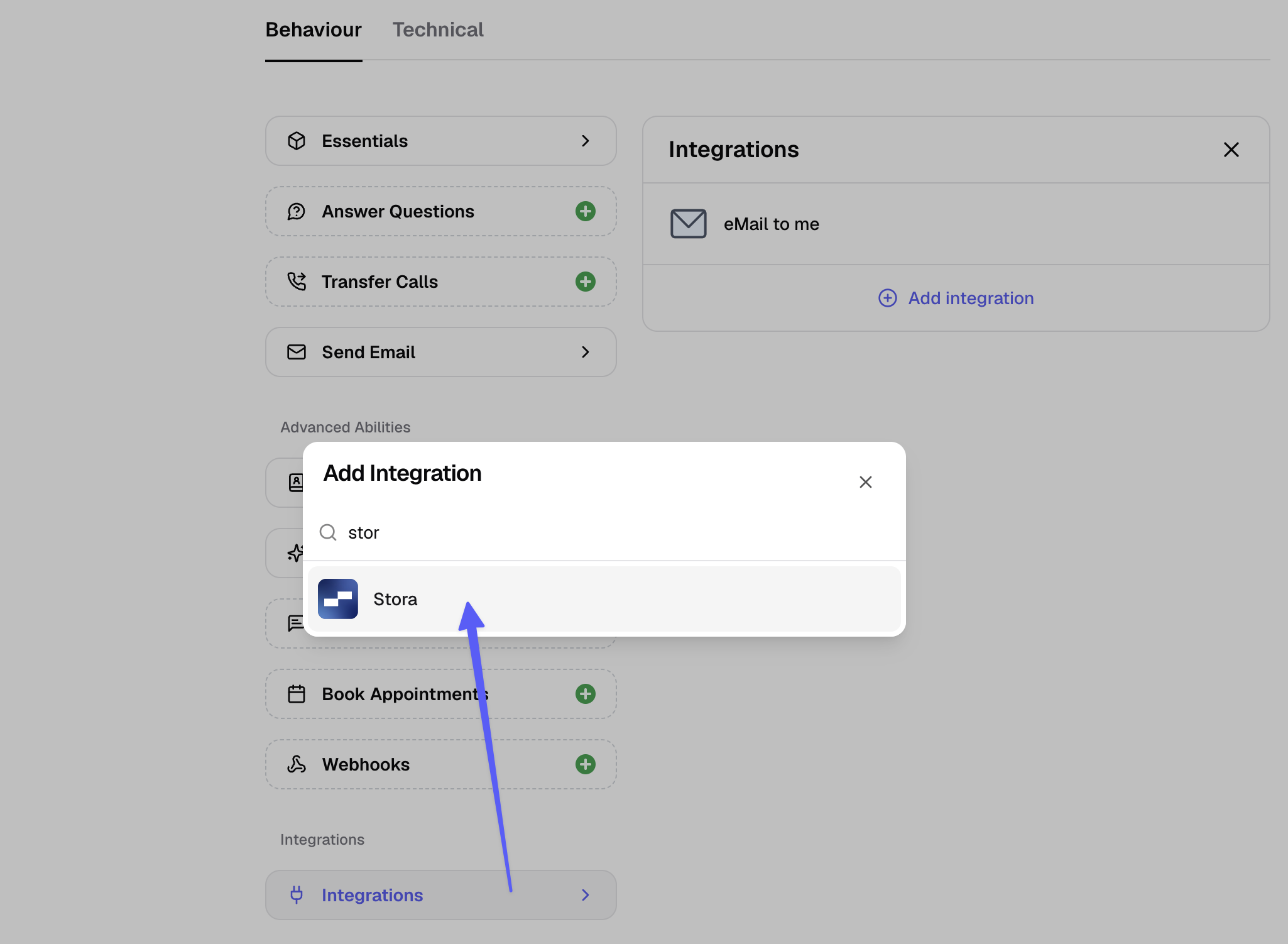
Connect Stora, the self-storage management platform, so your phone assistant and WhatsApp chatbot can check unit availability and booking details during a conversation.
Add it to your assistants, in the assistants tab, under "Integrations"
Fixed: Phone numbers in emails now clickable
Phone Number Links in Emails: Phone numbers in fonio emails now link correctly, so tapping one opens your desktop or phone phone app.
disconnectReasonandaudioLinkVariables Restored: The disconnectReason and audioLink variables are available again for post-call actions.
New US Voices
New US Voices. Two additional voices are now available for US numbers.
KYC Process Can Now Be Restarted. A started KYC process can be cancelled and restarted by a different person.
WhatsApp Display Name Fix. Display name changes made in the Meta Business Manager are now applied correctly.
WhatsApp Human Handover
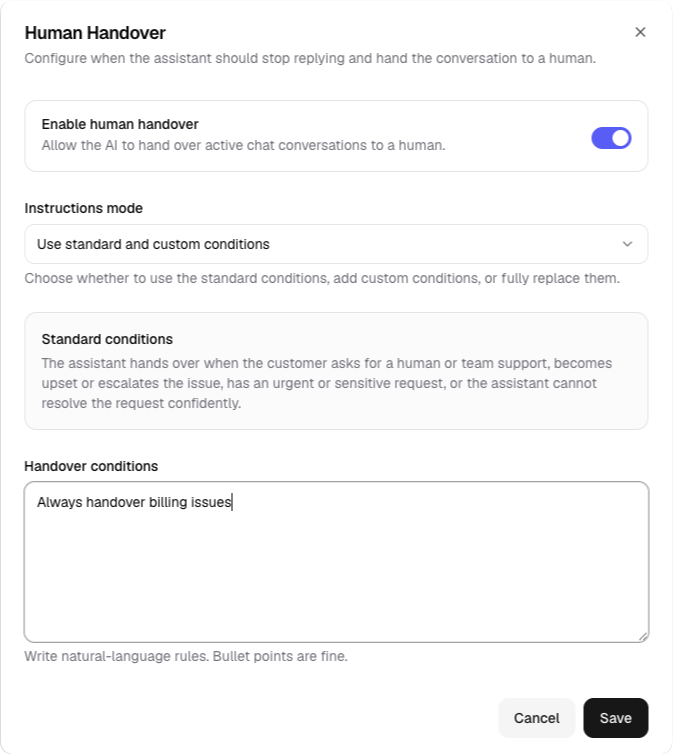
WhatsApp Human Handover. You can now set your own rules for which topics (like billing or refunds) always get handed over to a human, with your team notified directly in the unified inbox.
Startmessage & Webhook Variable Updates. Changes to contact or extraction fields now update automatically across all templates, instead of causing configuration issues.
Improved Email Delivery.
Reseller Portal: Client Overage. Resellers can now let their clients purchase additional add-ons once they go over their plan limits.
WhatsApp Alerts After Calls
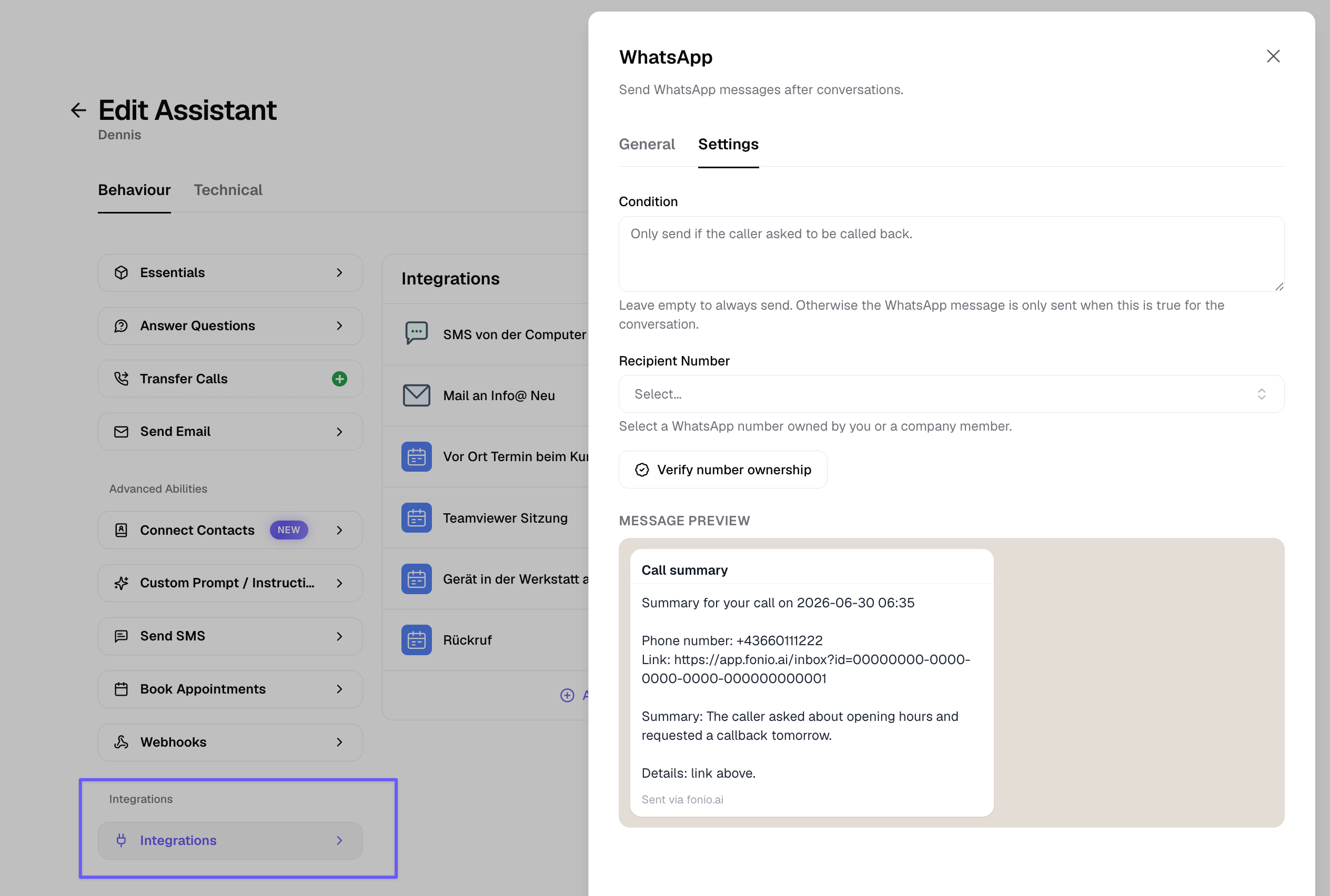
Set up a template message to notify yourself or a team member by WhatsApp after a call.
For example, to flag an urgent request.
Block Contacts
You can now block a contact. If you don't want calls from a number anymore, block it and future calls from that number are stopped.
WhatsApp Post-Call Actions
WhatsApp post-call actions are now available in alpha. Your agent can send you a WhatsApp message after a call, for example a summary of a missed call so you know to call back. This requires verifying your number first and is meant for internal communication, not customer-facing messages. Request early access at support@fonio.ai.
Bookings are now possible from landline calls. Previously these were rejected because a verification SMS couldn't be sent to a landline. Now the booking is confirmed without it.
Contacts are no longer created for landline calls that can be shared by multiple people.
KYC for Outbound Calls
Outbound calls now require KYC (identity verification), a 2-minute process that unlocks outbound calling on fonio numbers. Existing customers have 2 weeks to complete it; new customers must complete it before making outbound calls.
Voicemail Detection
Improved voicemail detection. Outbound calls that reach voicemail or an IVR are now recognized in 2-3 seconds instead of 10+, and no longer get stuck in loops.
Search Tool Improvements
The search tool now live-fetches your configured website URLs for faster, more reliable answers.
New Italian Voices
6 new Italian voices are now available.
Disable Interruptions
You can now disable interruptions entirely, not just for the start message. This helps in loud environments where unwanted interruptions could lead to bad conversations.
Contacts feature UI simplified.
Contacts Company Field
Contacts now include a company field. First name, last name, and company name update automatically from higher-quality sources like typed input or documents, but stop updating once you import a contact via CSV or edit it manually.
New voices for Dutch and Spanish are now available.
WhatsApp Images
WhatsApp agents can now interpret images.
Failed transfer notification emails now include the caller's number.
Contacts
Contacts is rolling out. Fonio now remembers people who previously called or chatted, and uses that context in every future conversation.
The fonio platform is now available in Spanish.
New voices for the US are now available.
Transcription accuracy improvements.
Time slot suggestion fix.
Booking Reminders
Booking reminders for calendars. Callers who book an appointment now receive a reminder ahead of time.
Integration templates now include summary, conversation ID, and conversation link fields.
Spanish voice (Marta) is now available.
WhatsApp conversations now store media, such as images.
Integration for Stora.
Release note (06.06.2026)
WhatsApp Human Takeover. Take over a WhatsApp conversation from the AI directly from the Conversations list.
Calendar: Disable Rescheduling and Cancellation. Prevent callers from rescheduling or deleting appointments via the booking link.
Baserow Integration.
Release note (04.06.2026)
Conditional Start Messages. Set different start messages depending on whether a call is inbound or outbound.
Conversation Flow Improvements for AI-Based Bookings. The flow for booking appointments via AI is smoother and more reliable.
New French Voice.
Layout Improvements. The platform interface has a refreshed layout.
fonio is now available in Dutch!
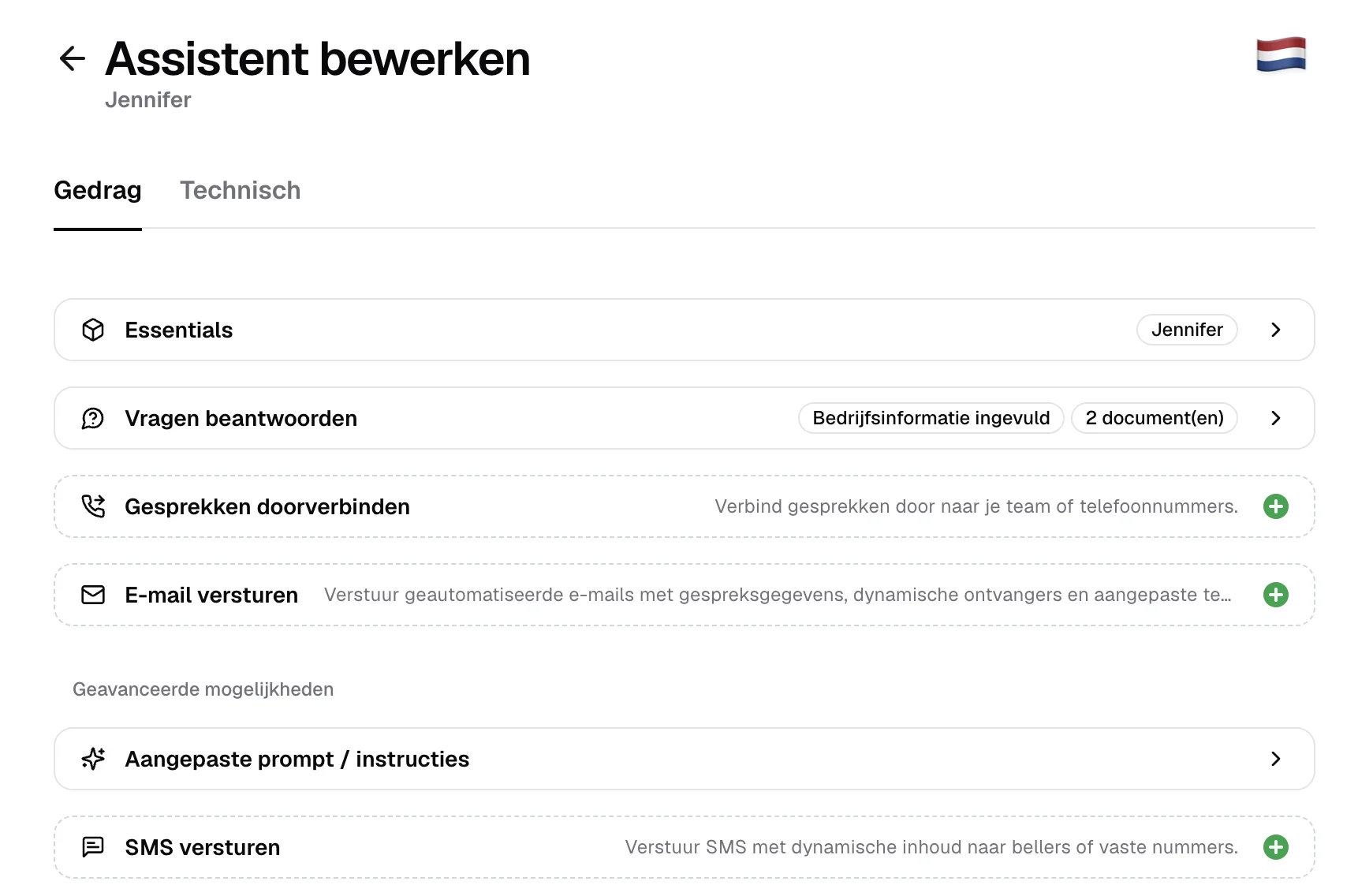
Mobile Netherlands numbers are now available. Use a Dutch mobile number for your assistant.
The platform is now available in Dutch. The fonio interface can now be used in Dutch.
New Inbox. Calls and chats are now in one place - with filters, tags, audio playback, and full transcripts all accessible from a single view.
New Inbox
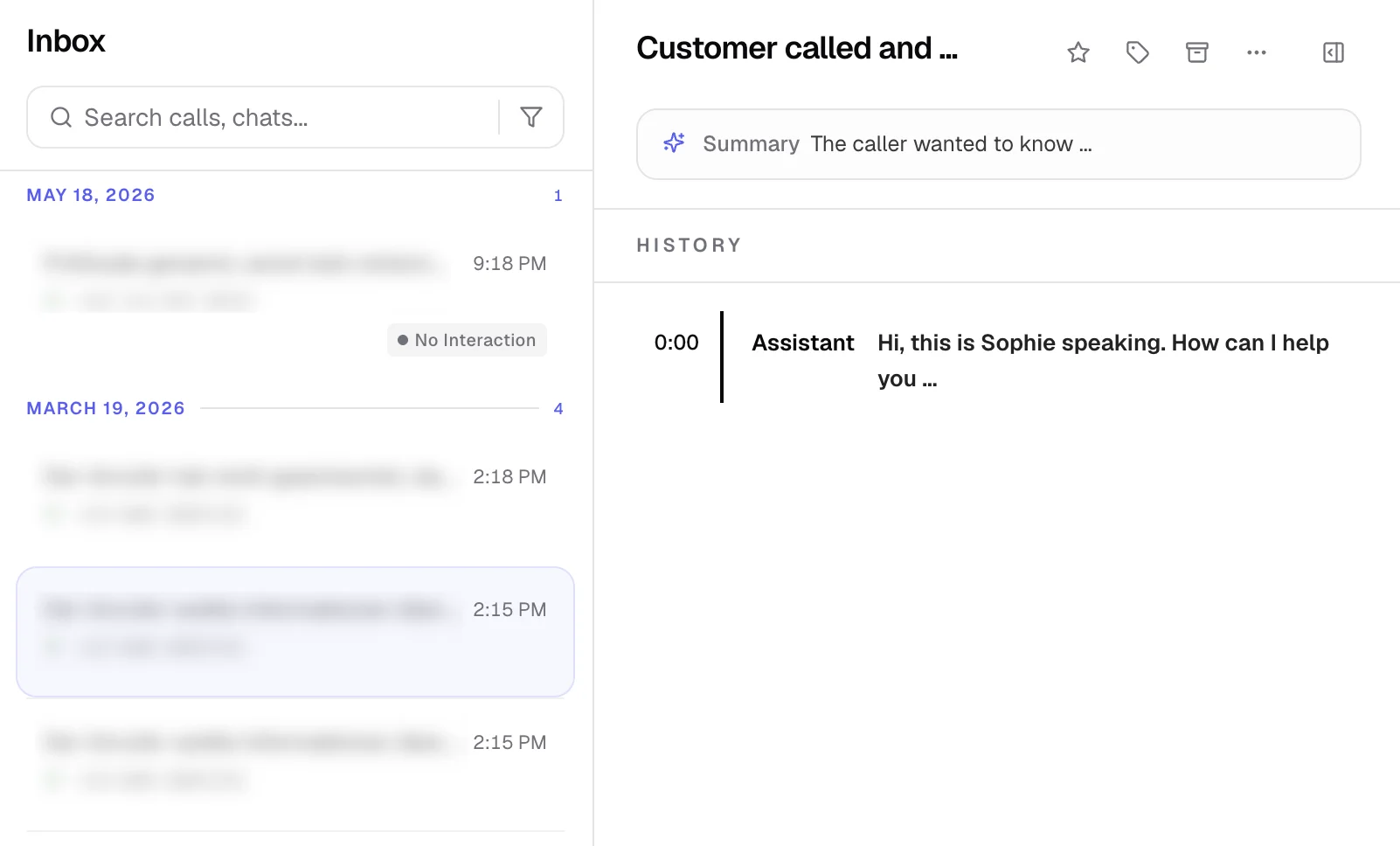
New Inbox. Calls and chats are now in one place - with filters, tags, audio playback, full transcripts, and call metadata all accessible from a single view.
Infinite scroll.
Inbox filters. Filter your inbox by agent, conversation type, and more.
Tag picker with inline create and color palette. Create and assign tags directly from the inbox without leaving the view.
Audio player: Listen to call recordings directly in the inbox.
Full transcript view with system events. Read complete call transcripts including system-level events.
Chat message history: View the full message history for chat conversations.
Detail metadata panels. Call and chat details are organized in collapsible side panels.
Partner account switching. Partners can now switch directly into a referred company's account once access has been granted.
Knowledge base UX improvements.
Whatsapp AI Release & Improvements
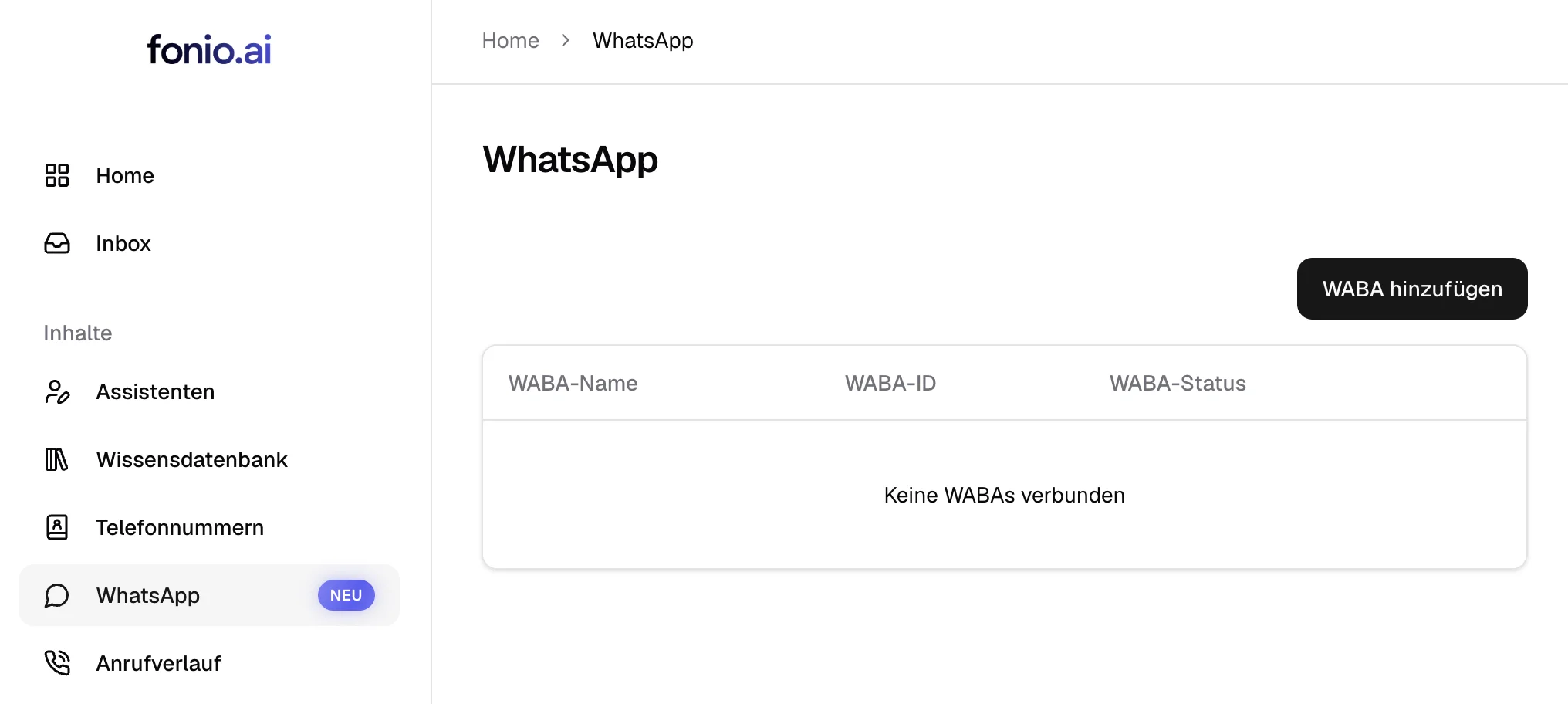
WhatsApp AI is now available. Your assistant can be used for WhatsApp as well.
Turn Detection Improvements. Your assistant is now better at detecting when a caller has finished speaking.
Cal.com Integration Fixes for Chat Agents.
Google Sheets is now supported
Google Sheets is now supported. You can now read or append rows to Google Sheets before, during and after the call.
Prompting templates for WhatsApp are now available.
Timezone fixed for calendar booking confirmations.
Self-learning Knowledge Base & 2-Factor Authentication
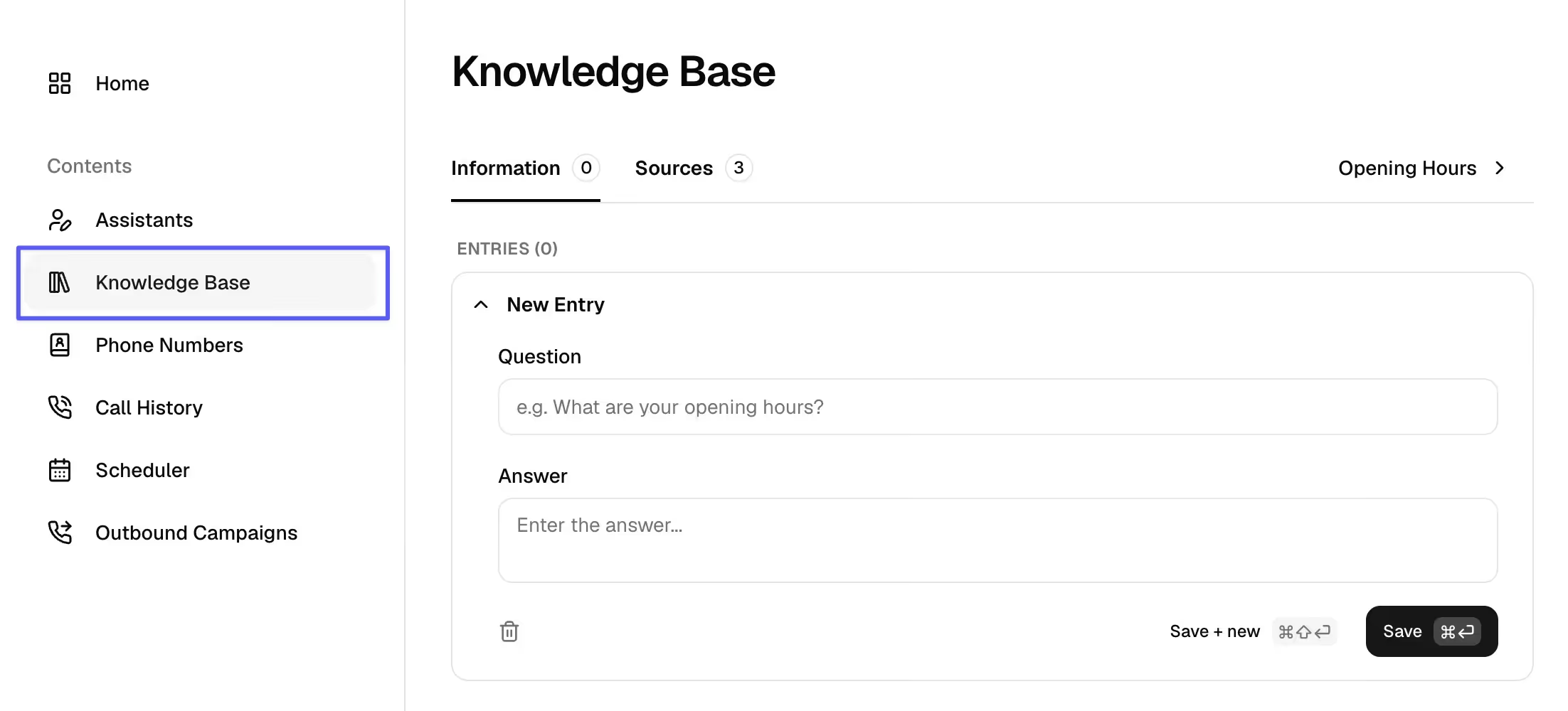
The new knowledge base is now available:
Agents now learn and build up their knowledgebase themselves.
Answers they figured out themselves can be corrected & approved.
Questions they cannot answer will land in your inbox!
2-Factor Authentication is now available for
Team plans
and Partner plans
Release note (12.05.2026)
We now have public API documentation: https://app.fonio.ai/api/docs
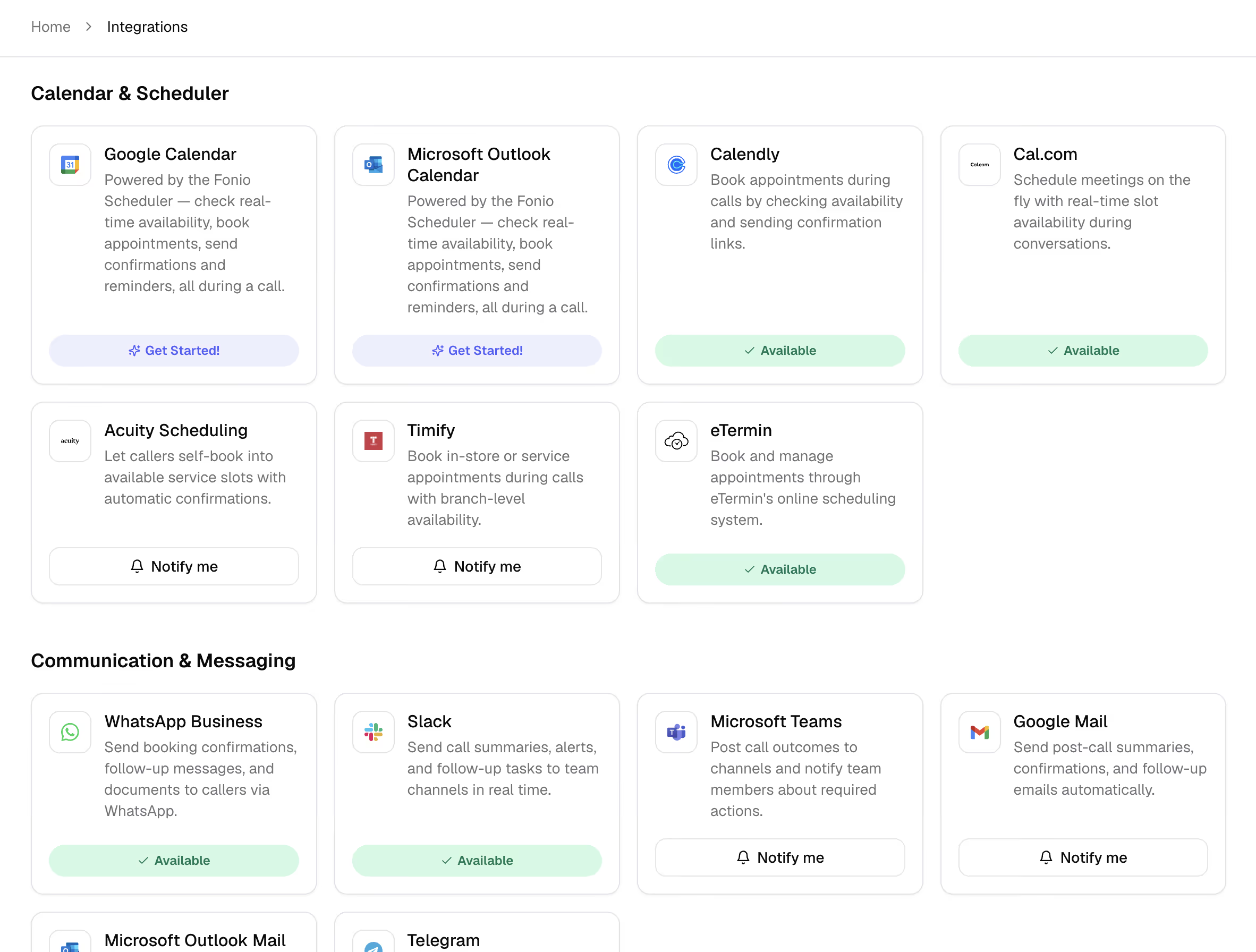
New integrations are live
eTermin
n8n
make
Airtable
Slack
You can now define user-based call transfers with availability checks and notification email on absence.
The phone number automatically updates depending on the user.
2 Factor Authentication is now available.
Release note (08.05.2026)
You can now see the usage on the dashboard based on the subscription cycle instead of the month.
Outbound campaigns now have pagination, search and filters.
New variable & bug fix
New variable
plainTranscriptcan be used as in emails.Bug fix: call transfers or end_calls are no longer announced twice.
New Voice & Booking Window
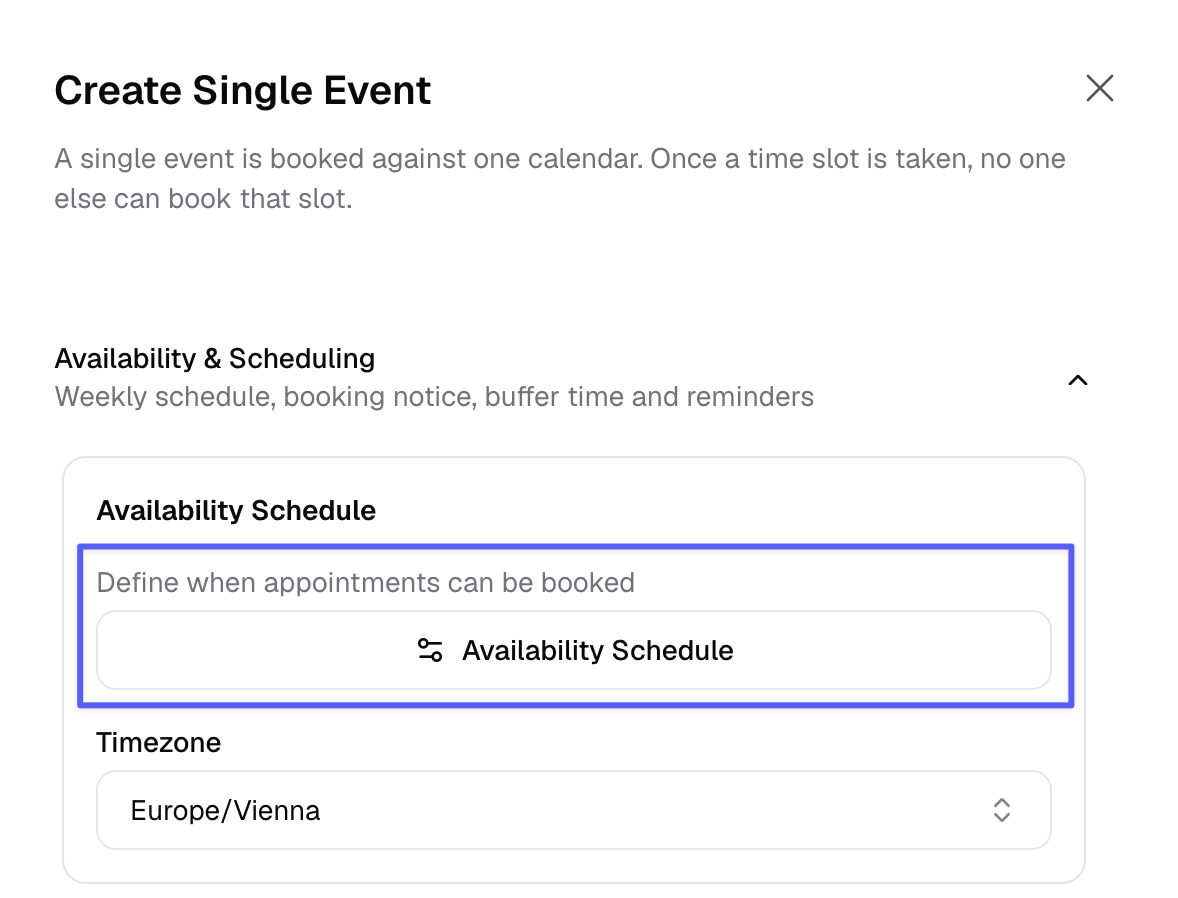
This is new:
voice for senior people ("Hilde")
calendar booking window (how many days in advance can be booked)
fonio Scheduler
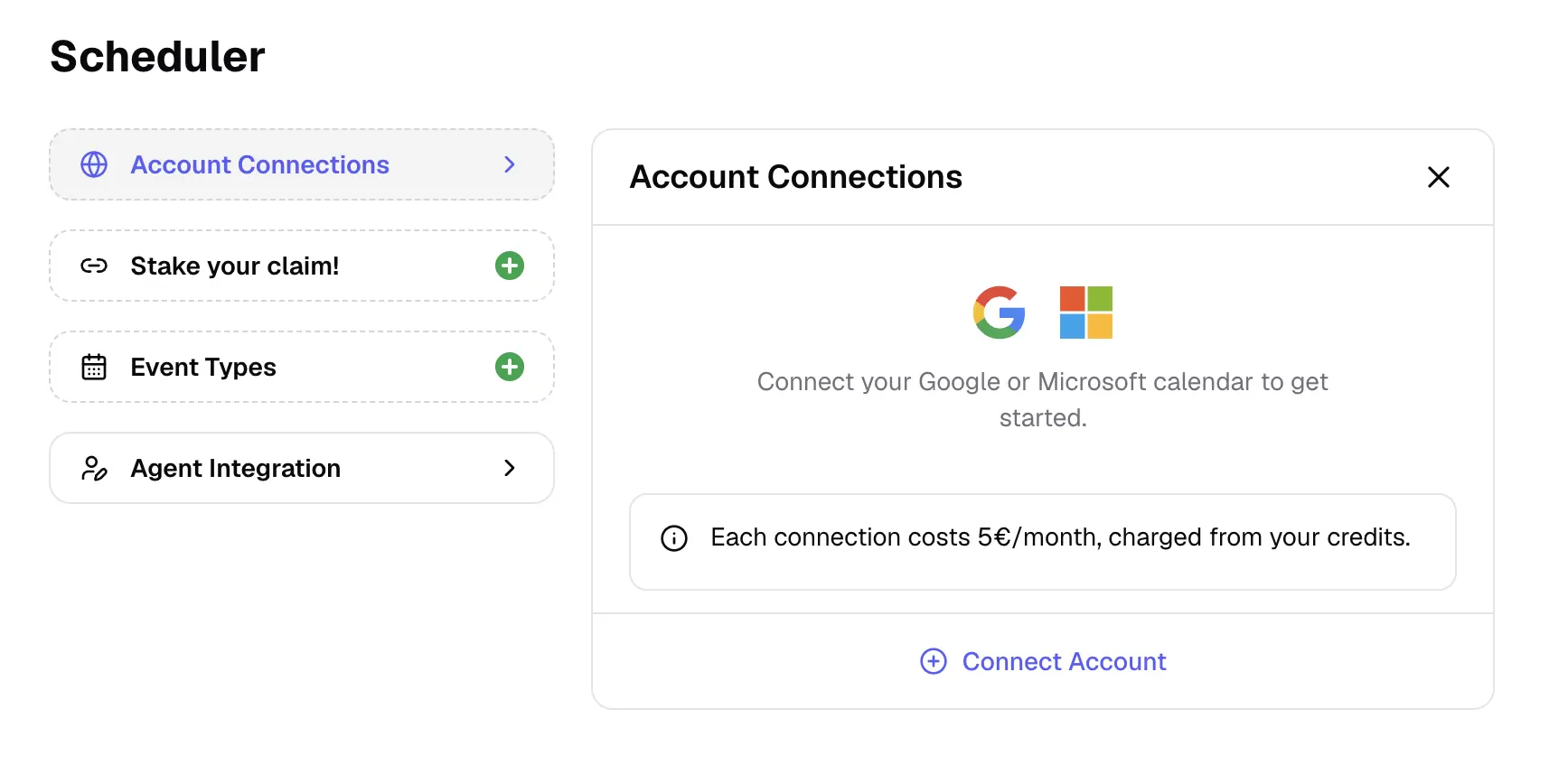
What you can do with the fonio Scheduler:
Directly integrate your Microsoft / Google Calendar
Booking links so others can schedule an appointment with you based on your availability.
Custom fields filled by AI
Shared calendar fields
Big improvements in language switching
Our AI Assistant can handle calls in more than one language much better and switch between them more quickly.
Updates: Turn detection, guardrails and live moderation
New version of turn detection with higher patience during dictations.
Better guardrails and live moderation.
Update: lower latency and higher intelligence
New LLM model brings lower latency and higher intelligence.
Parallel Tool Execution disabled to prevent issues with long running tool calls.
New: Integrations page
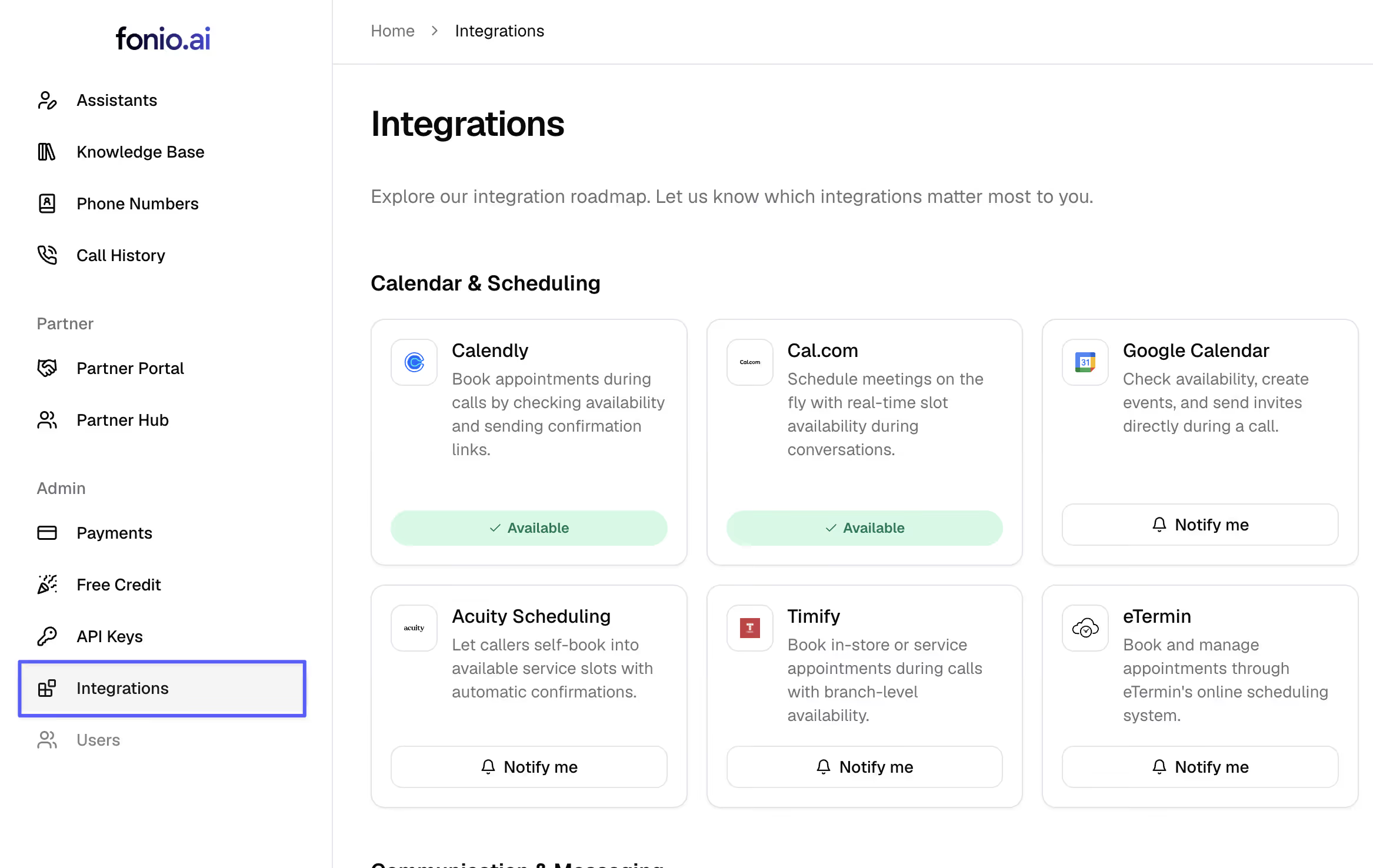
In the left menu you can now see the integrations page. Here you can place integration wishes.
Change platform language
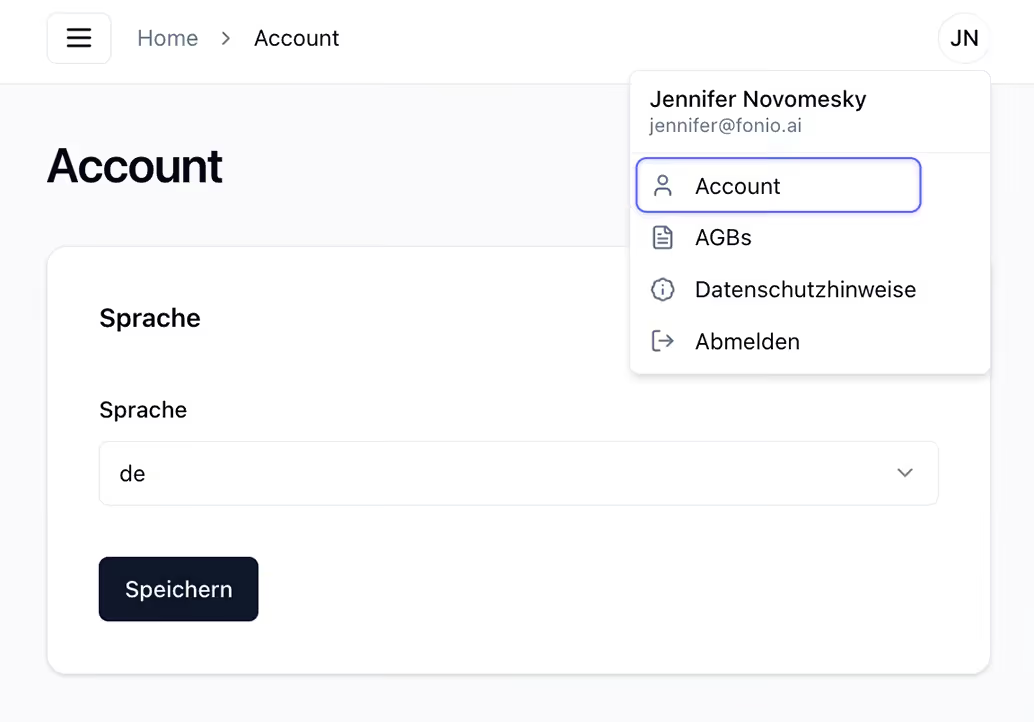
The fonio user interface is now also available in English.
You can find the setting under: Account → Language
Improved recognition for short and unclear responses.
Significant improvement in recognizing short answers and asking follow-up questions when the caller's answers are unclear.
New international numbers
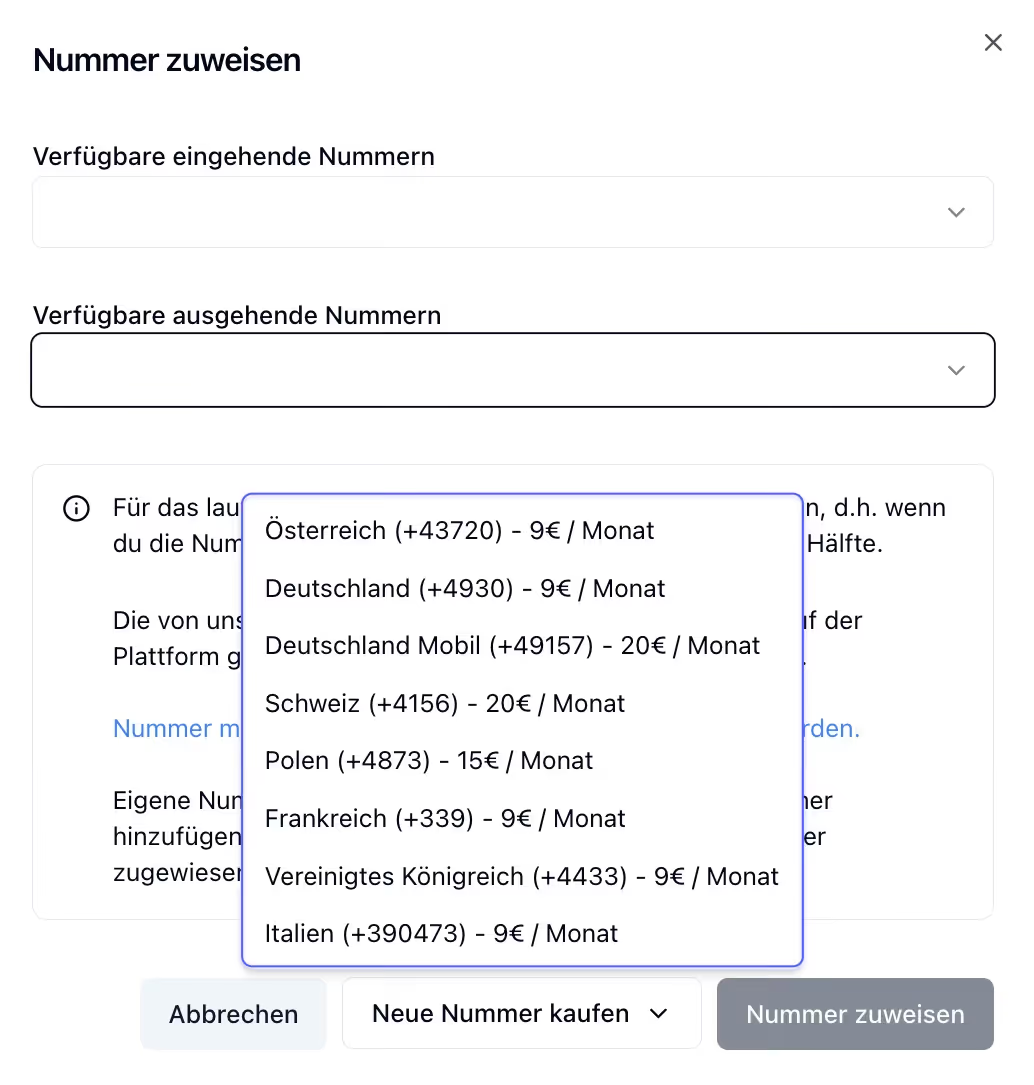
Fonio numbers are now available in three additional countries:
🇮🇹 Italy (+39 0473)
🇫🇷 France (+33 9)
🇬🇧 United Kingdom (+44 33)
Change payment method & billing address
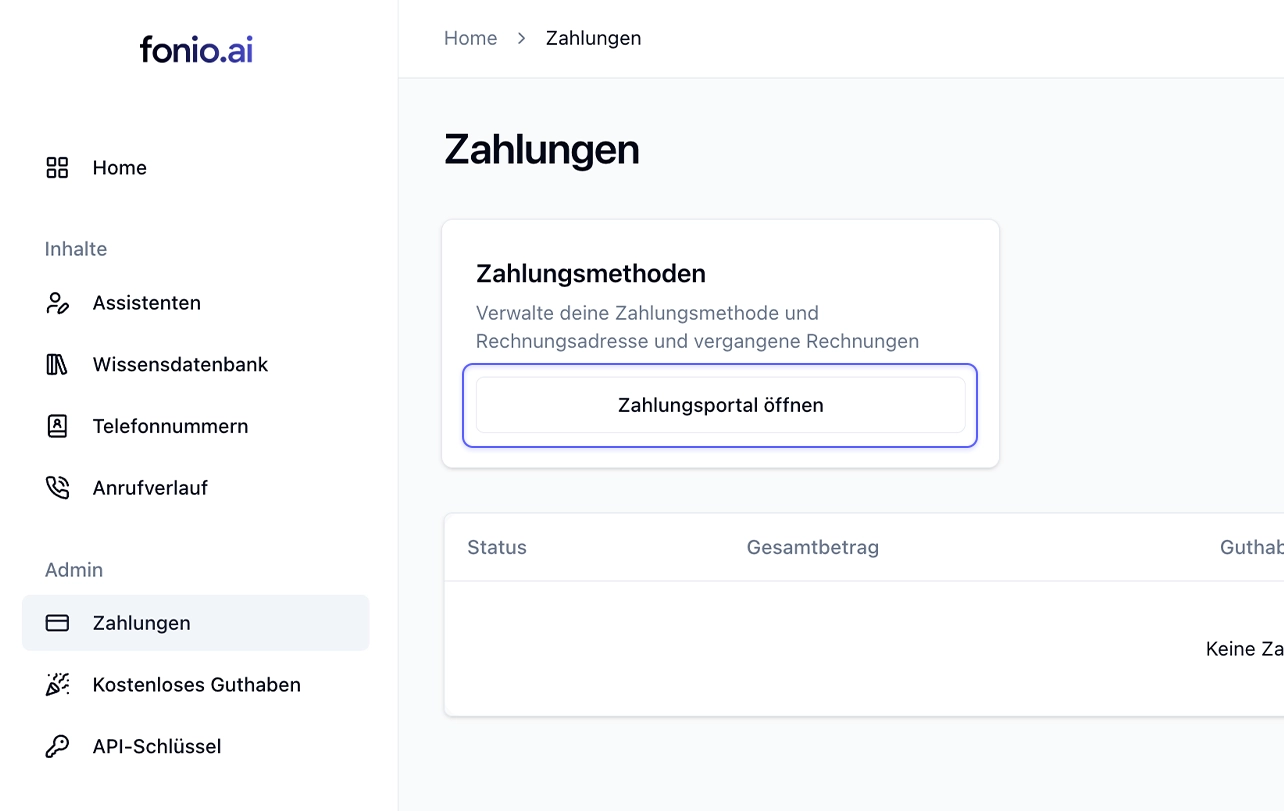
From now on, you can easily adjust your payment method and billing address yourself.
Go to: Payments → Payment methods → Open payment portal
Translation of static messages & prompt templates
Static messages (‘Is anyone still there?’ or ‘The maximum call duration has been reached’) are now translated into the current language.
Prompt templates are now translated into the current language of the assistant when inserted.
Duplicate post-processing & multiple assistants
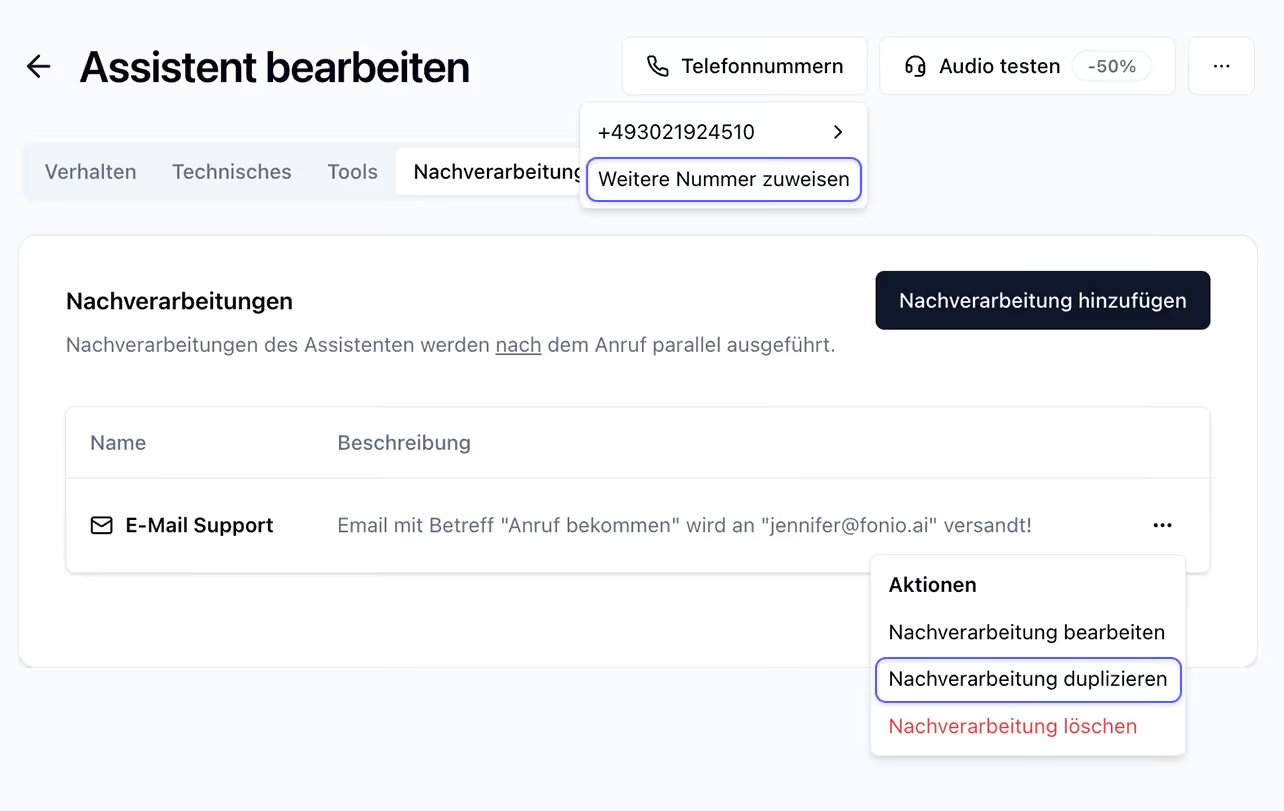
Tools and post-processing can now be duplicated.
An assistant can now have multiple telephone numbers. Ideal for scenarios in which the same assistant needs to be reachable in different countries (PS: we now also have Swiss numbers!).
A number can now be assigned to different assistants for inbound/outbound calls. Perfect for use cases where a callback on an outbound call should be handled significantly differently (our Handlebars logic can be used for small differences).
Add technical terms + new country codes
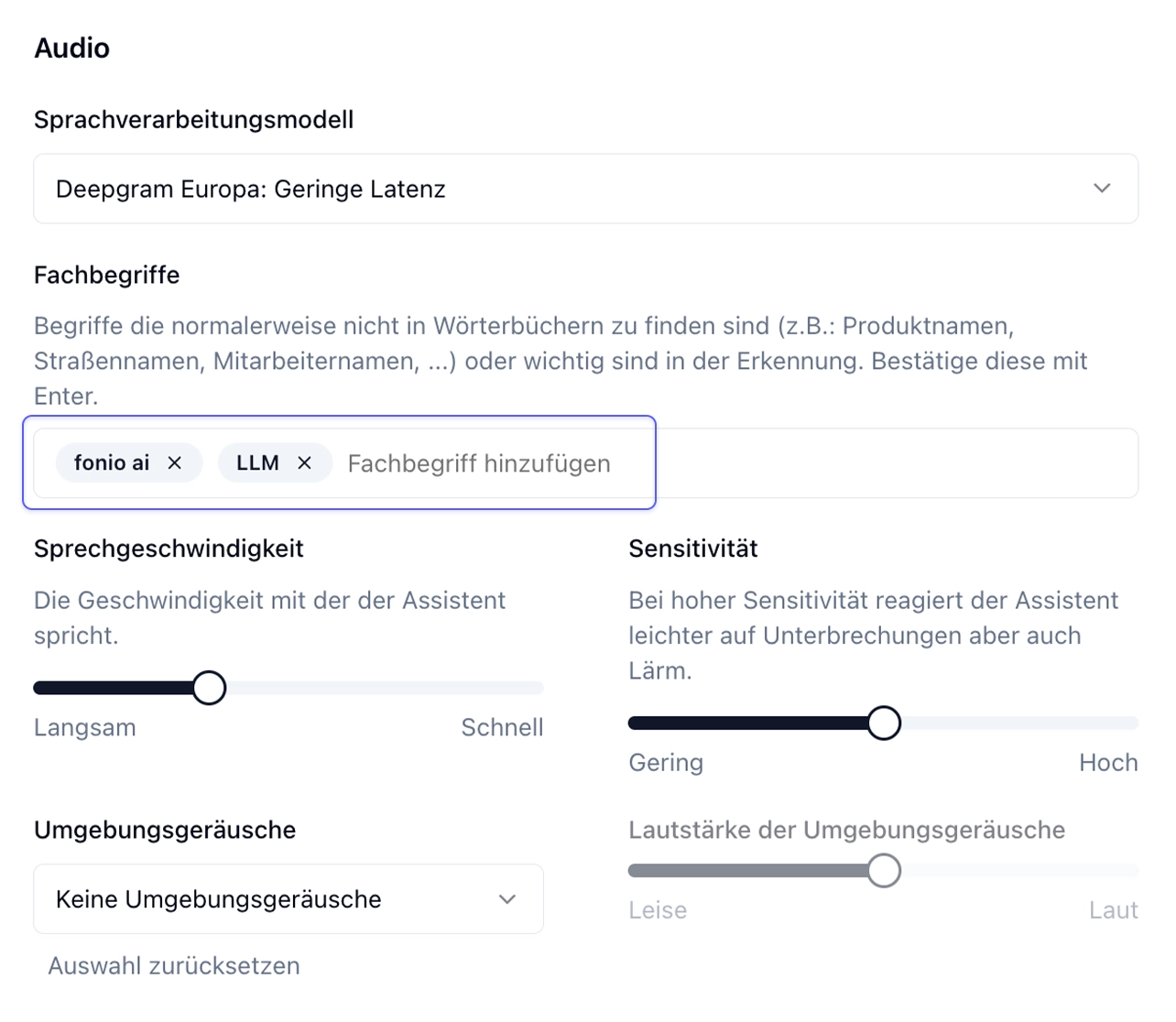
With the specialized terms feature, terms that are normally not found in dictionaries (e.g.: product names, street names, employee names, …) or words that are important can be added to the recognition.
Specialized terms can be set up under: Technical > Audio > Specialized terms.
Further: Swiss and Polish numbers are now available for all accounts.
Bellen op een nieuwe manier, met fonio.
Test fonio.ai zelf en ervaar hoe onze AI-telefoonassistent je gesprekken automatiseert en je team ontlast - eenvoudig, efficiënt en dag en nacht.