Changelog
New features
feature releases, and bug fixes.
Fixed: Phone numbers in emails now clickable
- Phone Number Links in Emails: Phone numbers in fonio emails now link correctly, so tapping one opens your desktop or phone phone app.
disconnectReasonandaudioLinkVariables Restored: The disconnectReason and audioLink variables are available again for post-call actions.

New US Voices
- New US Voices. Two additional voices are now available for US numbers.
- KYC Process Can Now Be Restarted. A started KYC process can be cancelled and restarted by a different person.
- WhatsApp Display Name Fix. Display name changes made in the Meta Business Manager are now applied correctly.
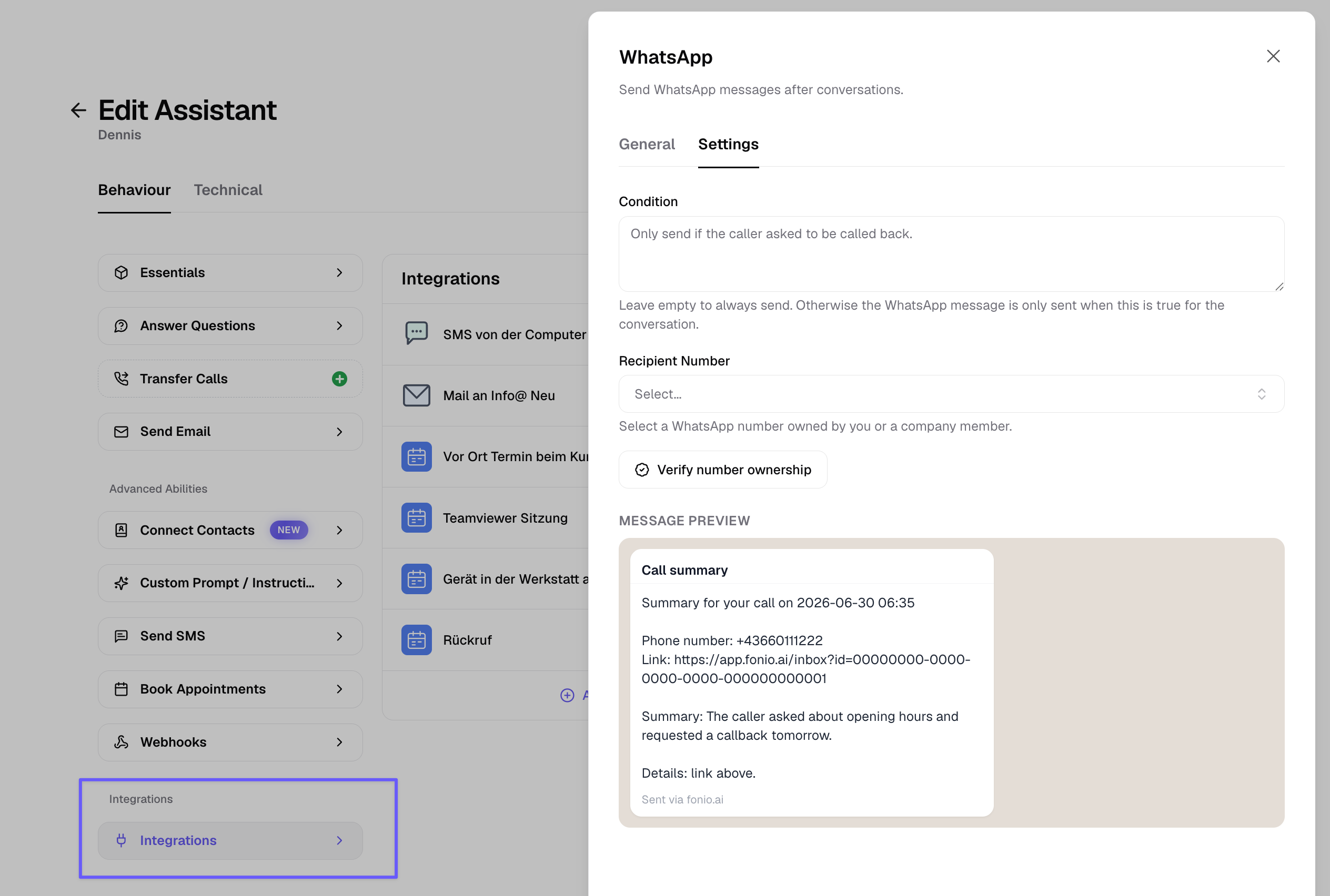
WhatsApp Alerts After Calls
- Set up a template message to notify yourself or a team member by WhatsApp after a call.
- For example, to flag an urgent request.
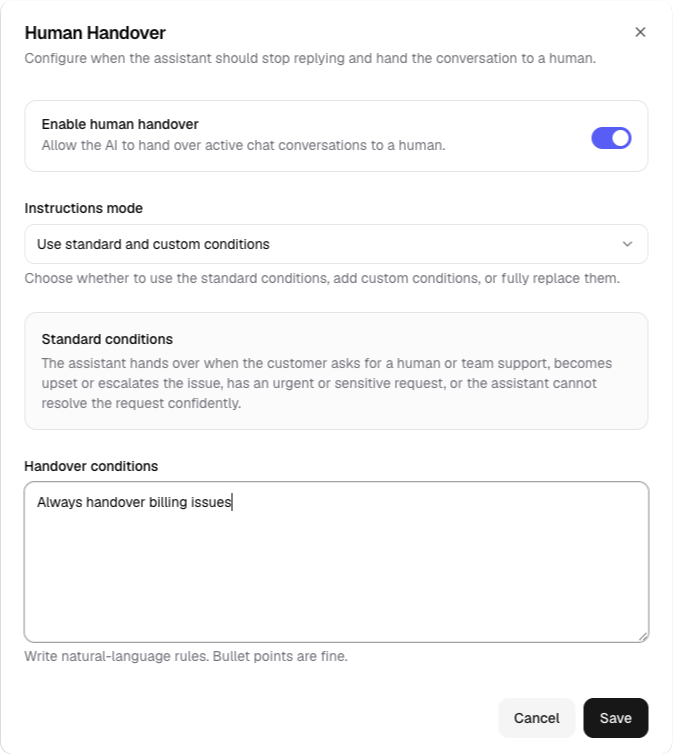
WhatsApp Human Handover
- WhatsApp Human Handover. You can now set your own rules for which topics (like billing or refunds) always get handed over to a human, with your team notified directly in the unified inbox.
- Startmessage & Webhook Variable Updates. Changes to contact or extraction fields now update automatically across all templates, instead of causing configuration issues.
- Improved Email Delivery.
- Reseller Portal: Client Overage. Resellers can now let their clients purchase additional add-ons once they go over their plan limits.
Block Contacts
- You can now block a contact. If you don't want calls from a number anymore, block it and future calls from that number are stopped.
KYC for Outbound Calls
- Outbound calls now require KYC (identity verification), a 2-minute process that unlocks outbound calling on fonio numbers. Existing customers have 2 weeks to complete it; new customers must complete it before making outbound calls.
WhatsApp Post-Call Actions
- WhatsApp post-call actions are now available in alpha. Your agent can send you a WhatsApp message after a call, for example a summary of a missed call so you know to call back. This requires verifying your number first and is meant for internal communication, not customer-facing messages. Request early access at support@fonio.ai.
- Bookings are now possible from landline calls. Previously these were rejected because a verification SMS couldn't be sent to a landline. Now the booking is confirmed without it.
- Contacts are no longer created for landline calls that can be shared by multiple people.
Search Tool Improvements
- The search tool now live-fetches your configured website URLs for faster, more reliable answers.
Voicemail Detection
- Improved voicemail detection. Outbound calls that reach voicemail or an IVR are now recognized in 2-3 seconds instead of 10+, and no longer get stuck in loops.
New Italian Voices
- 6 new Italian voices are now available.
Disable Interruptions
- You can now disable interruptions entirely, not just for the start message. This helps in loud environments where unwanted interruptions could lead to bad conversations.
- Contacts feature UI simplified.
Contacts Company Field
- Contacts now include a company field. First name, last name, and company name update automatically from higher-quality sources like typed input or documents, but stop updating once you import a contact via CSV or edit it manually.
- New voices for Dutch and Spanish are now available.
WhatsApp Images
- WhatsApp agents can now interpret images.
- Failed transfer notification emails now include the caller's number.
Contacts
- Contacts is rolling out. Fonio now remembers people who previously called or chatted, and uses that context in every future conversation.
- The fonio platform is now available in Spanish.
- New voices for the US are now available.
- Transcription accuracy improvements.
- Time slot suggestion fix.
Booking Reminders
- Booking reminders for calendars. Callers who book an appointment now receive a reminder ahead of time.
- Integration templates now include summary, conversation ID, and conversation link fields.
- Spanish voice (Marta) is now available.
- WhatsApp conversations now store media, such as images.
- Integration for Stora.
Release note (06.06.2026)
- WhatsApp Human Takeover. Take over a WhatsApp conversation from the AI directly from the Conversations list.
- Calendar: Disable Rescheduling and Cancellation. Prevent callers from rescheduling or deleting appointments via the booking link.
- Baserow Integration.
Release note (04.06.2026)
- Conditional Start Messages. Set different start messages depending on whether a call is inbound or outbound.
- Conversation Flow Improvements for AI-Based Bookings. The flow for booking appointments via AI is smoother and more reliable.
- New French Voice.
- Layout Improvements. The platform interface has a refreshed layout.
fonio is now available in Dutch!
- Mobile Netherlands numbers are now available. Use a Dutch mobile number for your assistant.
- The platform is now available in Dutch. The fonio interface can now be used in Dutch.
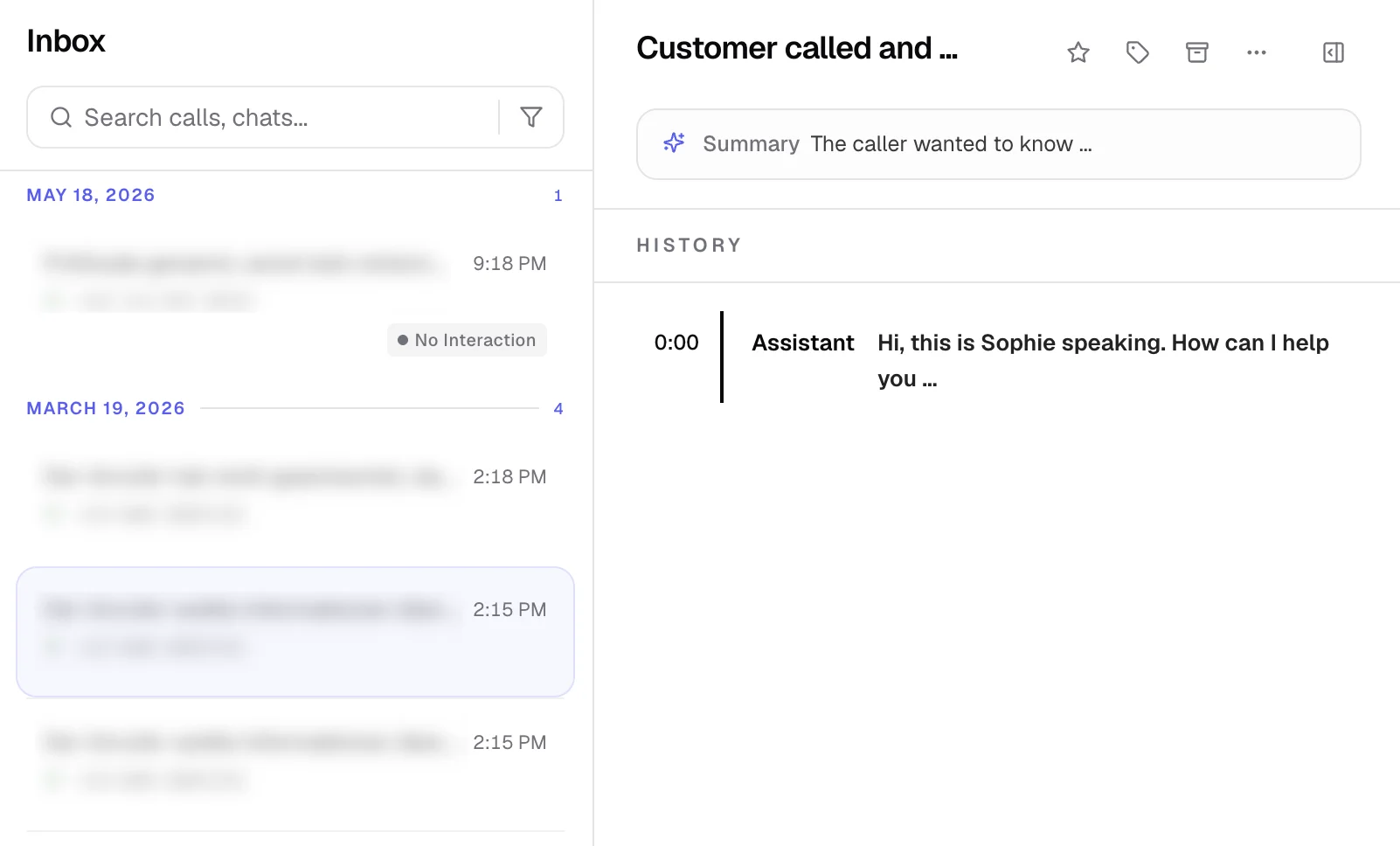
- New Inbox. Calls and chats are now in one place - with filters, tags, audio playback, and full transcripts all accessible from a single view.
New Inbox
- New Inbox. Calls and chats are now in one place - with filters, tags, audio playback, full transcripts, and call metadata all accessible from a single view.
- Infinite scroll.
- Inbox filters. Filter your inbox by agent, conversation type, and more.
- Tag picker with inline create and color palette. Create and assign tags directly from the inbox without leaving the view.
- Audio player: Listen to call recordings directly in the inbox.
- Full transcript view with system events. Read complete call transcripts including system-level events.
- Chat message history: View the full message history for chat conversations.
- Detail metadata panels. Call and chat details are organized in collapsible side panels.
- Partner account switching. Partners can now switch directly into a referred company's account once access has been granted.
- Knowledge base UX improvements.
Whatsapp AI Release & Improvements
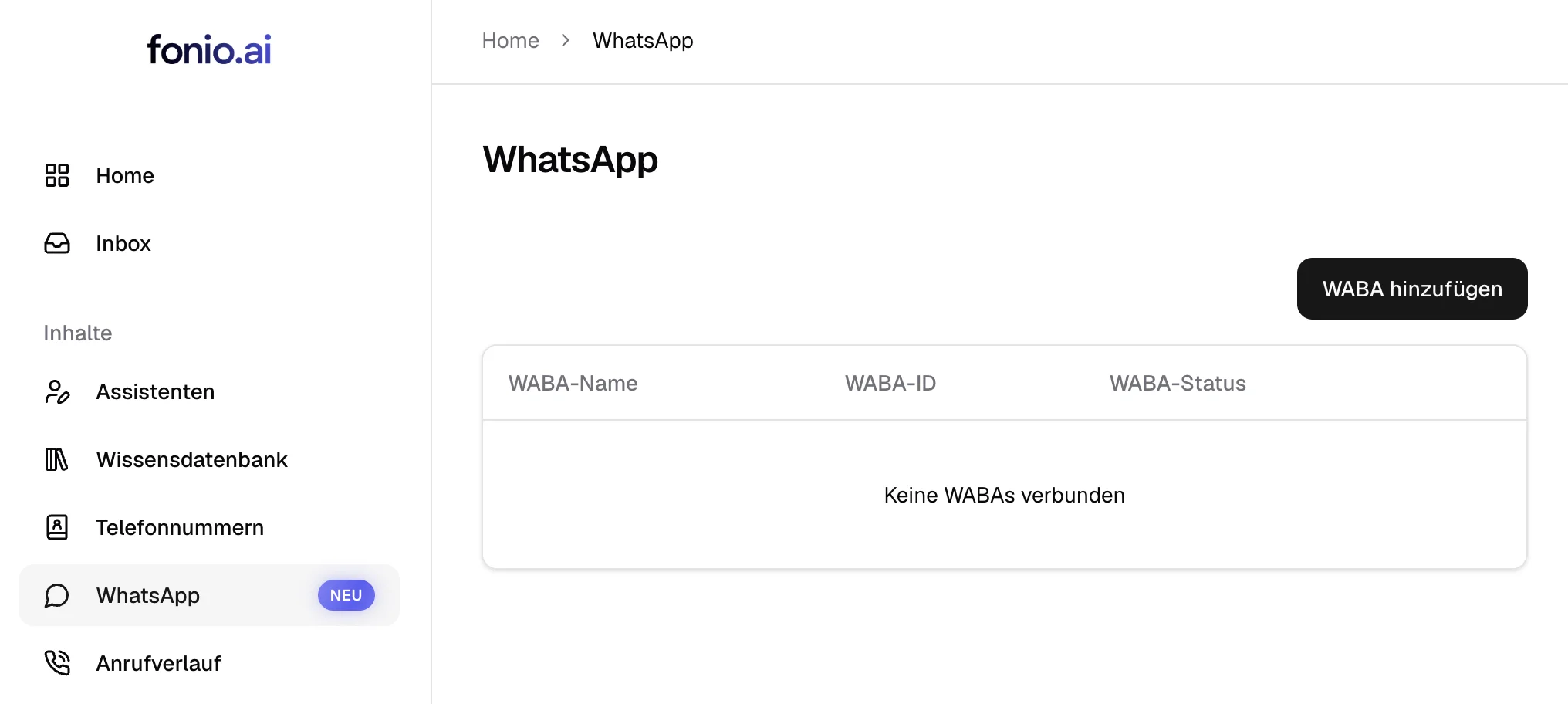
- WhatsApp AI is now available. Your assistant can be used for WhatsApp as well.
- Turn Detection Improvements. Your assistant is now better at detecting when a caller has finished speaking.
- Cal.com Integration Fixes for Chat Agents.
Google Sheets is now supported
- Google Sheets is now supported. You can now read or append rows to Google Sheets before, during and after the call.
- Prompting templates for WhatsApp are now available.
- Timezone fixed for calendar booking confirmations.
Self-learning Knowledge Base & 2-Factor Authentication
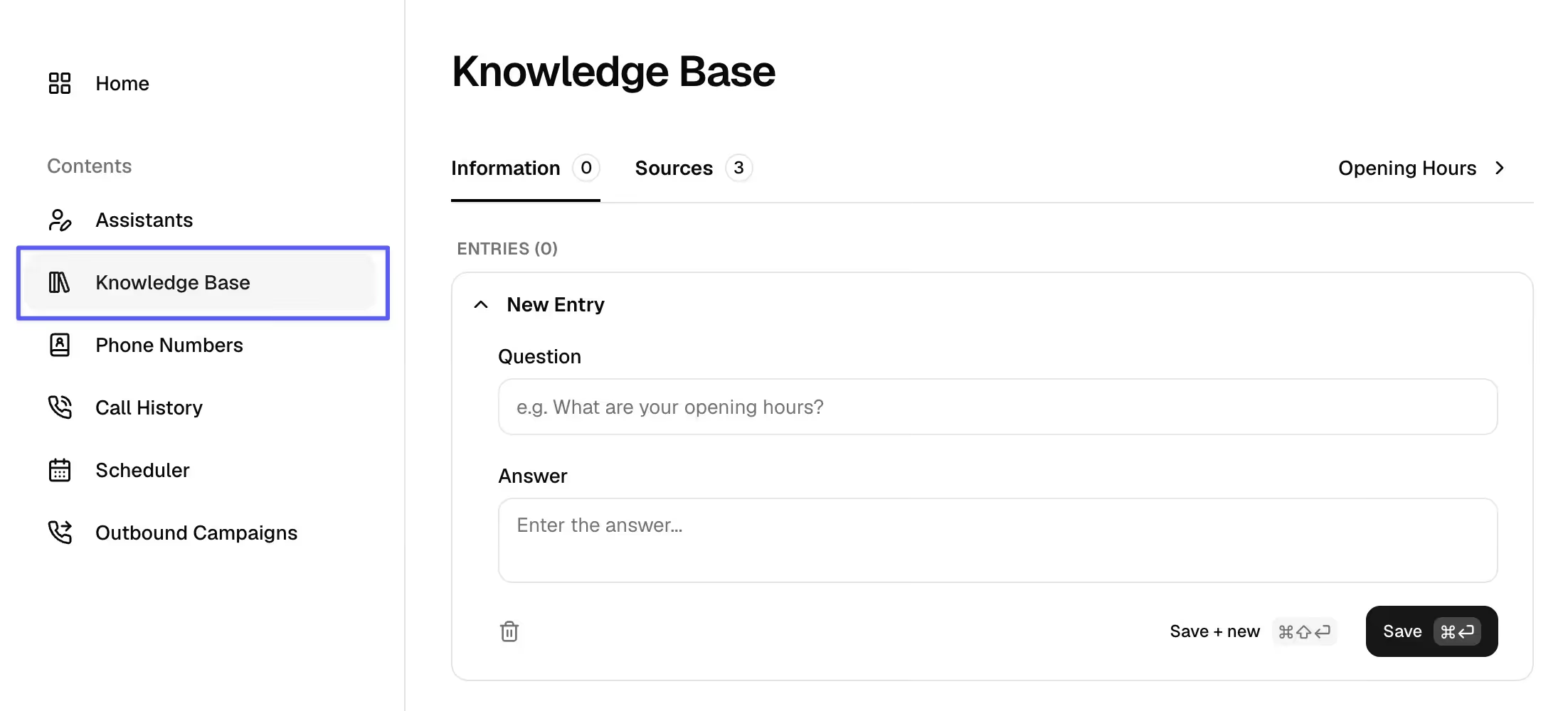
The new knowledge base is now available:
- Agents now learn and build up their knowledgebase themselves.
- Answers they figured out themselves can be corrected & approved.
- Questions they cannot answer will land in your inbox!
2-Factor Authentication is now available for
- Team plans
- and Partner plans
Release note (12.05.2026)
- We now have public API documentation: https://app.fonio.ai/api/docs
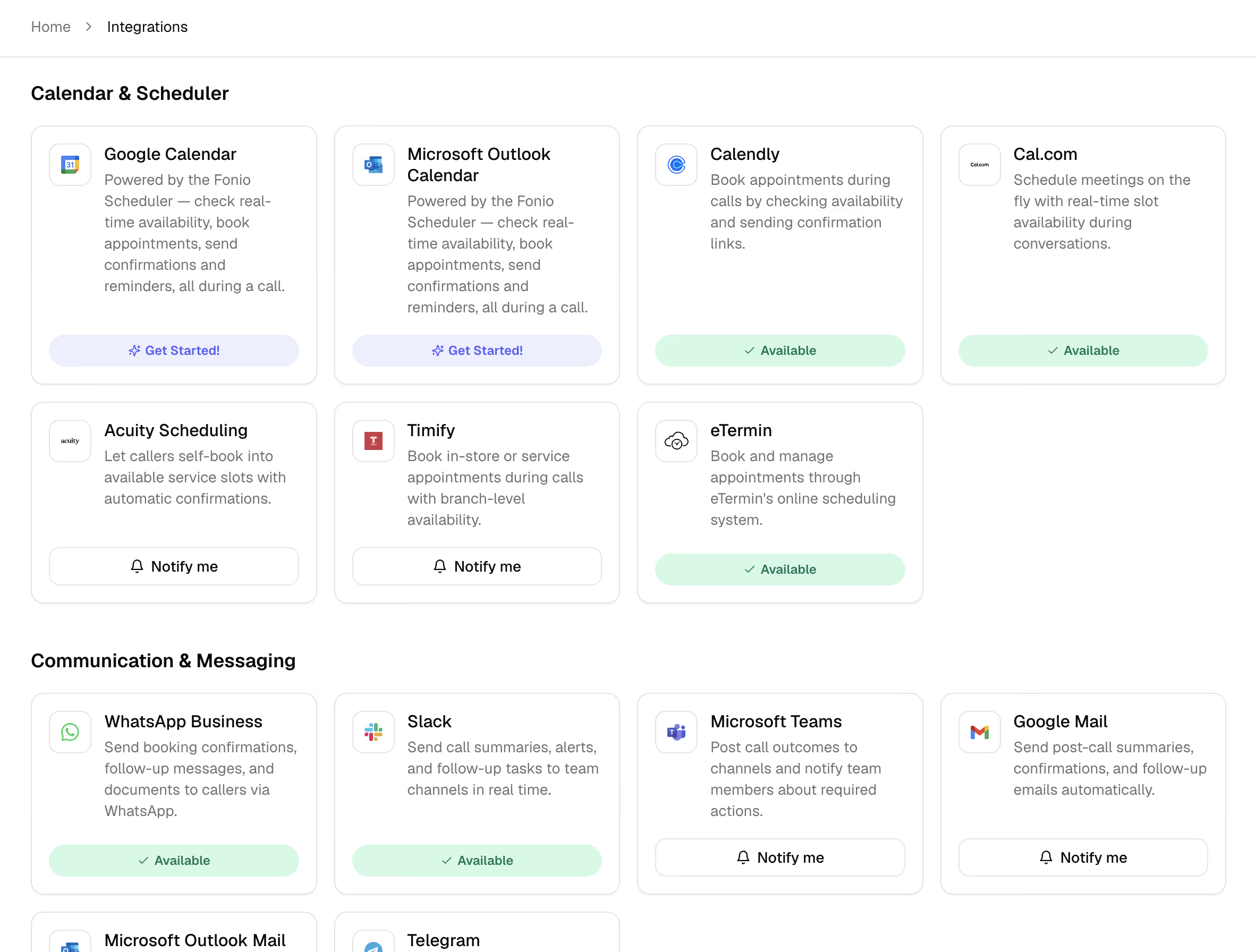
- New integrations are live
- eTermin
- n8n
- make
- Airtable
- Slack
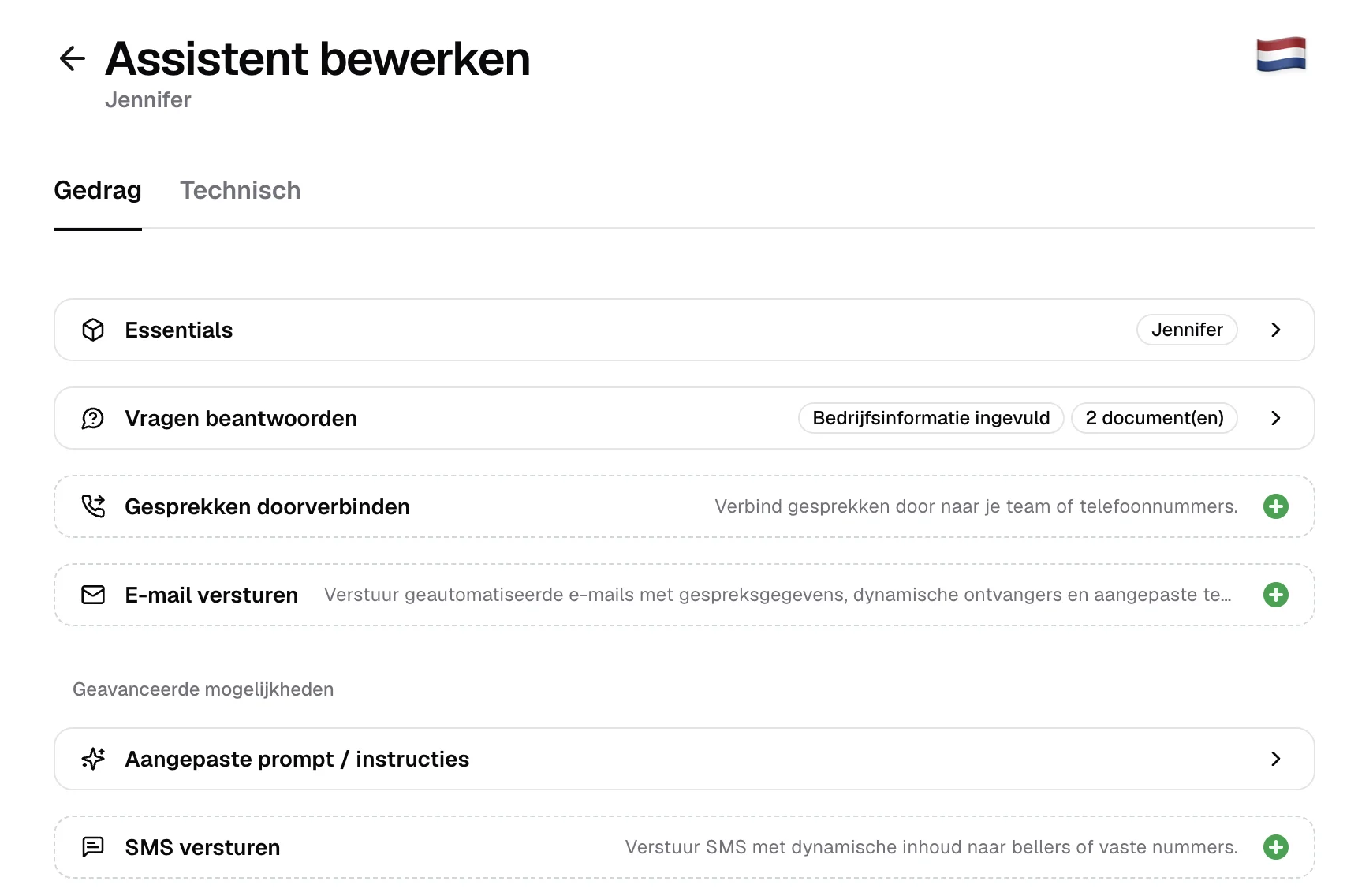
- You can now define user-based call transfers with availability checks and notification email on absence.
- The phone number automatically updates depending on the user.
- 2 Factor Authentication is now available.
Release note (08.05.2026)
- You can now see the usage on the dashboard based on the subscription cycle instead of the month.
- Outbound campaigns now have pagination, search and filters.
New variable & bug fix
- New variable
plainTranscriptcan be used as in emails. - Bug fix: call transfers or end_calls are no longer announced twice.
New Voice & Booking Window
This is new:
- voice for senior people ("Hilde")
- calendar booking window (how many days in advance can be booked)
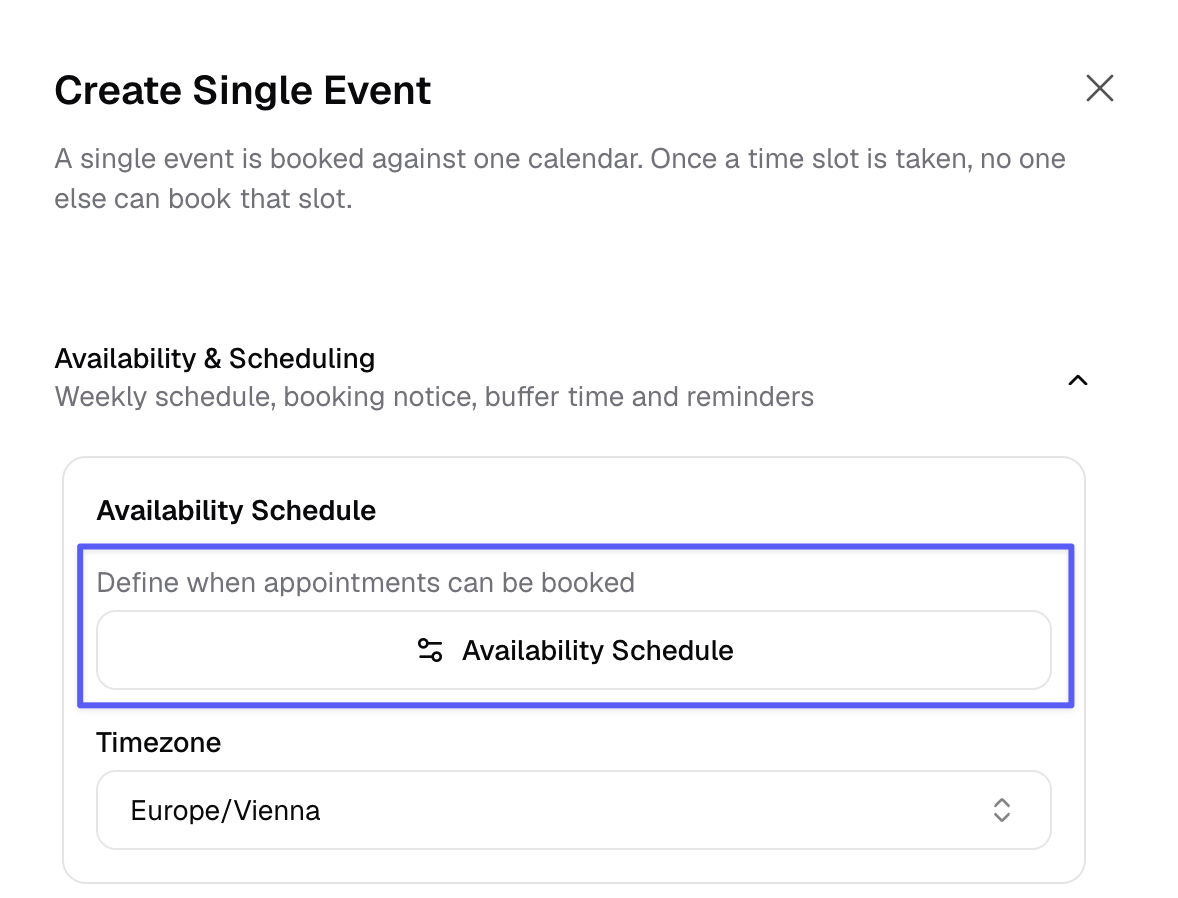
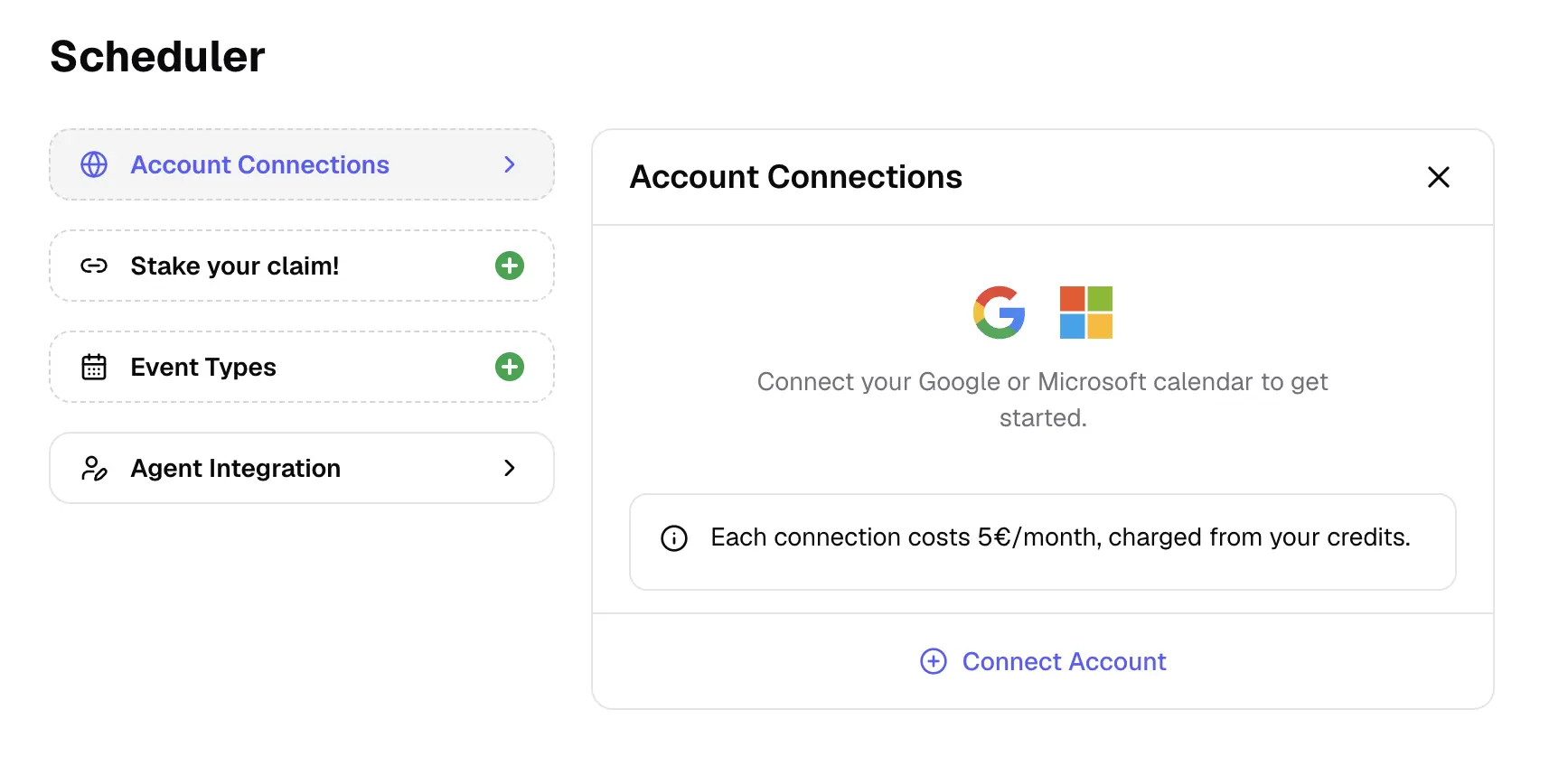
fonio Scheduler
What you can do with the fonio Scheduler:
- Directly integrate your Microsoft / Google Calendar
- Booking links so others can schedule an appointment with you based on your availability.
- Custom fields filled by AI
- Shared calendar fields
Big improvements in language switching
- Our AI Assistant can handle calls in more than one language much better and switch between them more quickly.
Updates: Turn detection, guardrails and live moderation
- New version of turn detection with higher patience during dictations.
- Better guardrails and live moderation.
Update: lower latency and higher intelligence
- New LLM model brings lower latency and higher intelligence.
- Parallel Tool Execution disabled to prevent issues with long running tool calls.
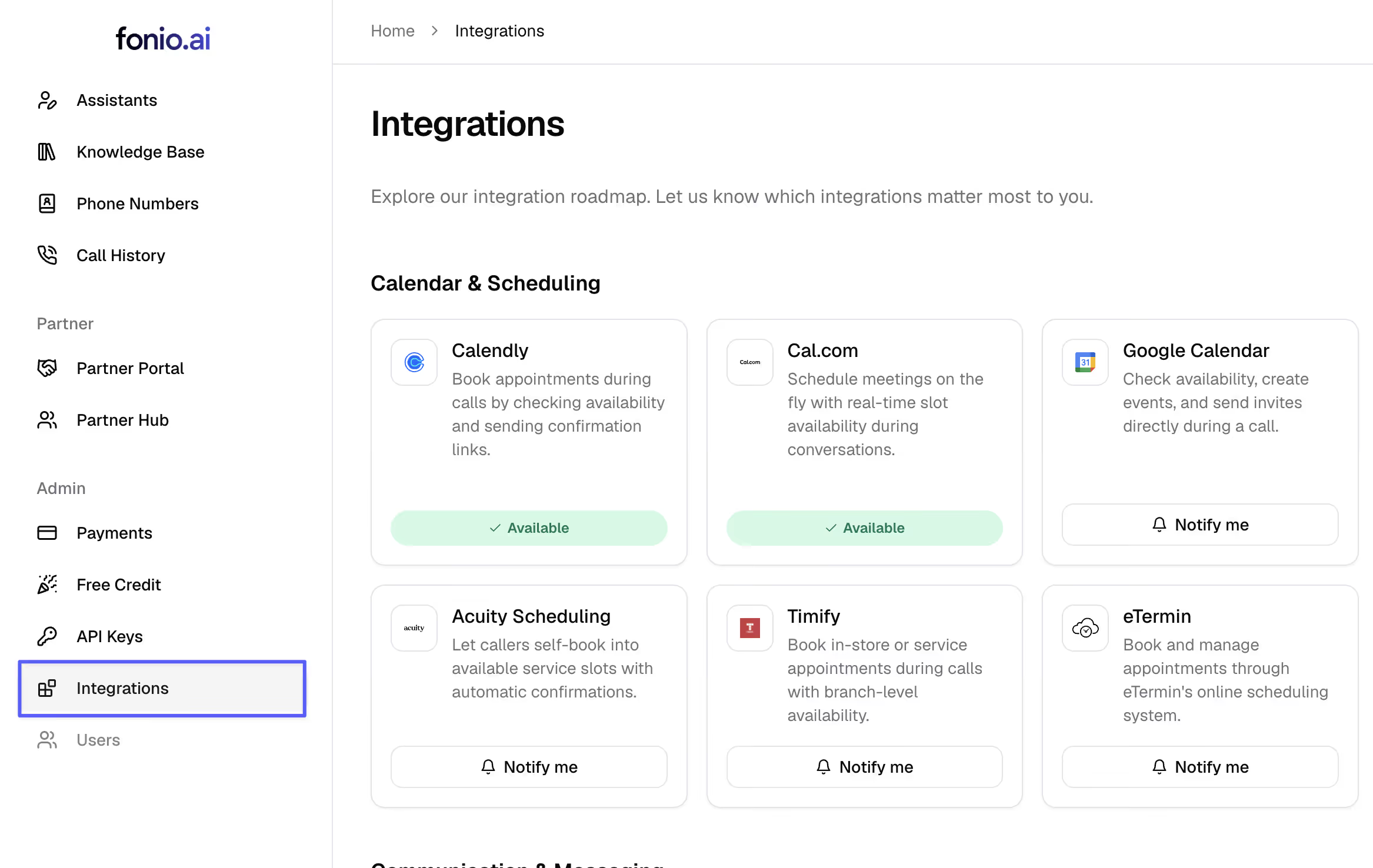
New: Integrations page
- In the left menu you can now see the integrations page. Here you can place integration wishes.
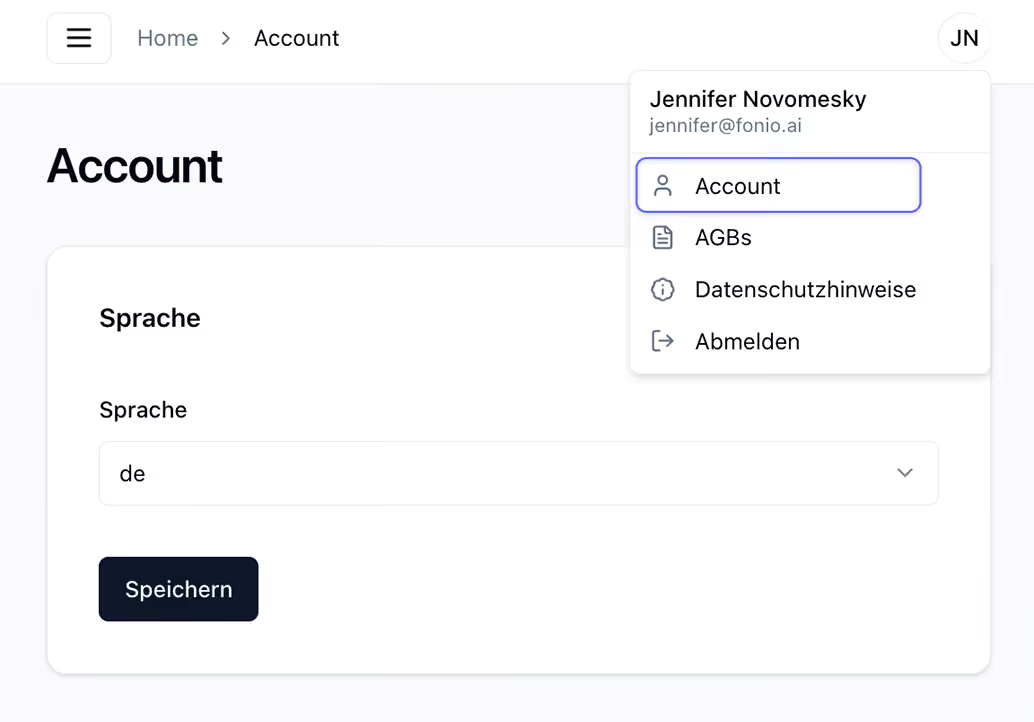
Change platform language
- The fonio user interface is now also available in English.
- You can find the setting under: Account → Language
Improved recognition for short and unclear responses.
- Significant improvement in recognizing short answers and asking follow-up questions when the caller's answers are unclear.
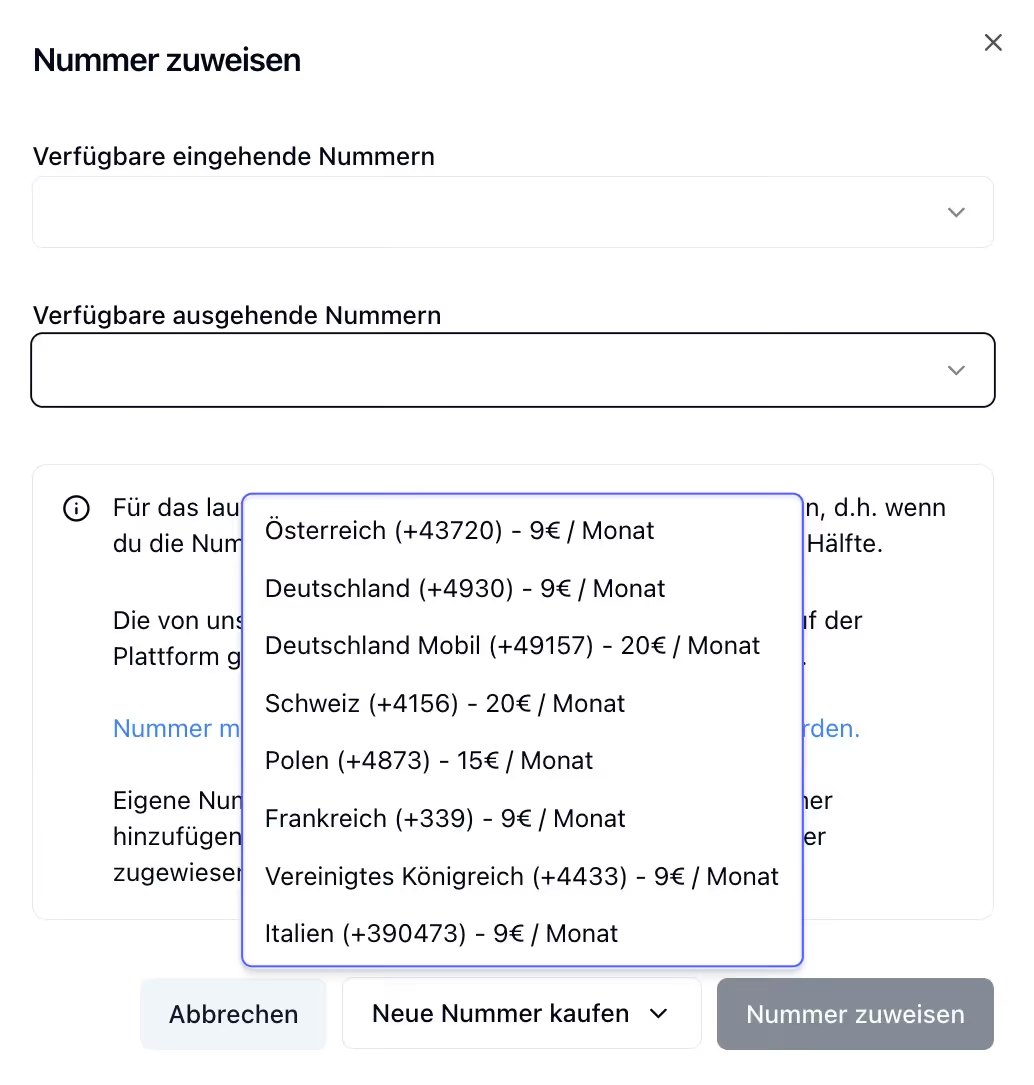
New international numbers
Fonio numbers are now available in three additional countries:
🇮🇹 Italy (+39 0473)
🇫🇷 France (+33 9)
🇬🇧 United Kingdom (+44 33)
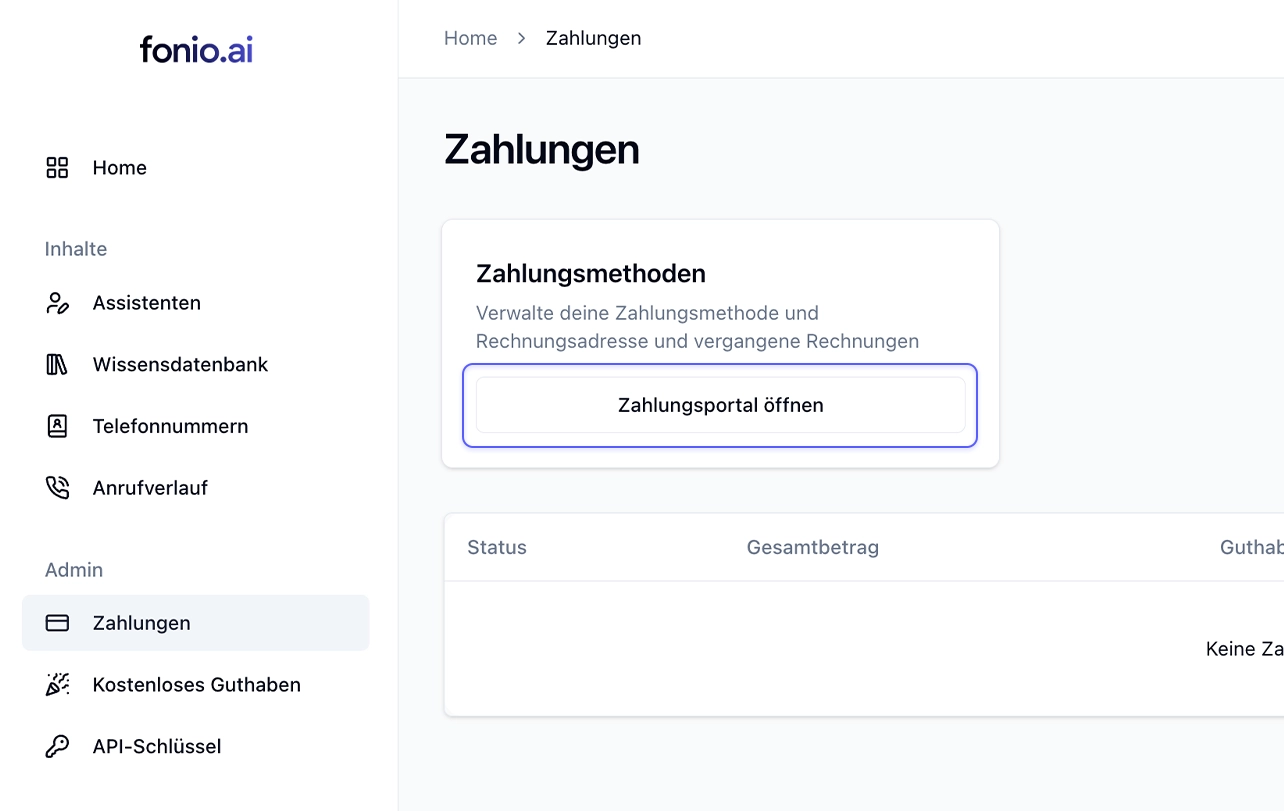
Change payment method & billing address
From now on, you can easily adjust your payment method and billing address yourself.
Go to: Payments → Payment methods → Open payment portal
Translation of static messages & prompt templates
- Static messages (‘Is anyone still there?’ or ‘The maximum call duration has been reached’) are now translated into the current language.
- Prompt templates are now translated into the current language of the assistant when inserted.
Duplicate post-processing & multiple assistants
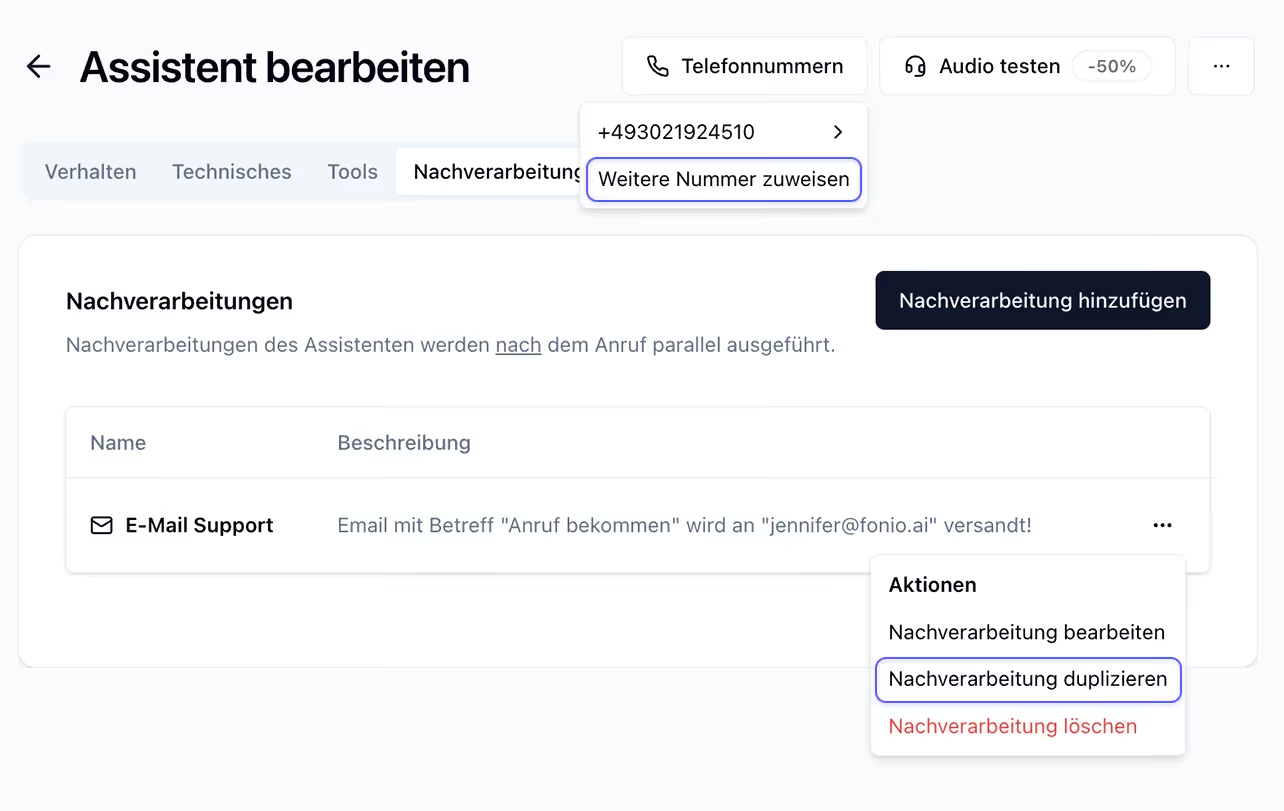
- Tools and post-processing can now be duplicated.
- An assistant can now have multiple telephone numbers. Ideal for scenarios in which the same assistant needs to be reachable in different countries (PS: we now also have Swiss numbers!).
- A number can now be assigned to different assistants for inbound/outbound calls. Perfect for use cases where a callback on an outbound call should be handled significantly differently (our Handlebars logic can be used for small differences).
Add technical terms + new country codes
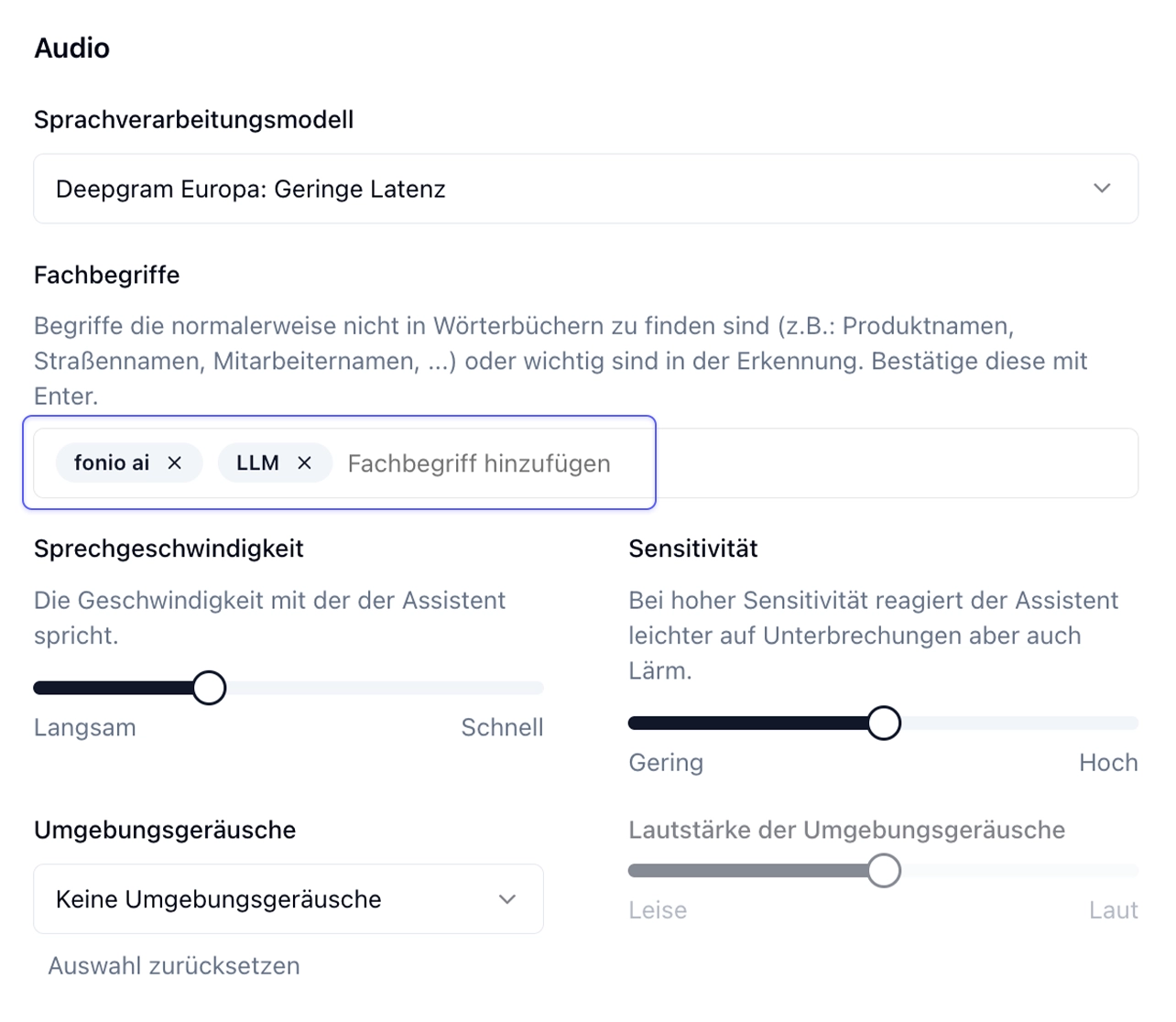
With the specialized terms feature, terms that are normally not found in dictionaries (e.g.: product names, street names, employee names, …) or words that are important can be added to the recognition.
Specialized terms can be set up under: Technical > Audio > Specialized terms.
Further: Swiss and Polish numbers are now available for all accounts.